
Next AI Draw.io is an AI-powered diagram creation tool that allows you to create and modify draw.io diagrams using natural language commands. Simply describe what you want in text, and it will automatically generate professional diagrams such as flowcharts, architecture diagrams, UML diagrams, and more.

How to Use

Open https://next-ai-drawio.jiang.jp/zh and start using it directly in your browser without any installation.

Option 2: Download the Desktop App

1. Download the Installer

Visit the Releases page to download the installer for your platform:
PlatformDownload File
macOS.dmg (Intel & Apple Silicon)
Windows.exe installer (x64 & ARM64)
Linux.AppImage or .deb (x64 & ARM64)

2. Install and Launch

  • macOS: Double-click the .dmg file and drag the app into the Applications folder
  • Windows: Run the .exe installer
  • Linux: Run the .AppImage file or install with dpkg -i xxx.deb

Video Tutorial

Video tutorial: Click here

Configure AI

Open the app and go to the Settings page
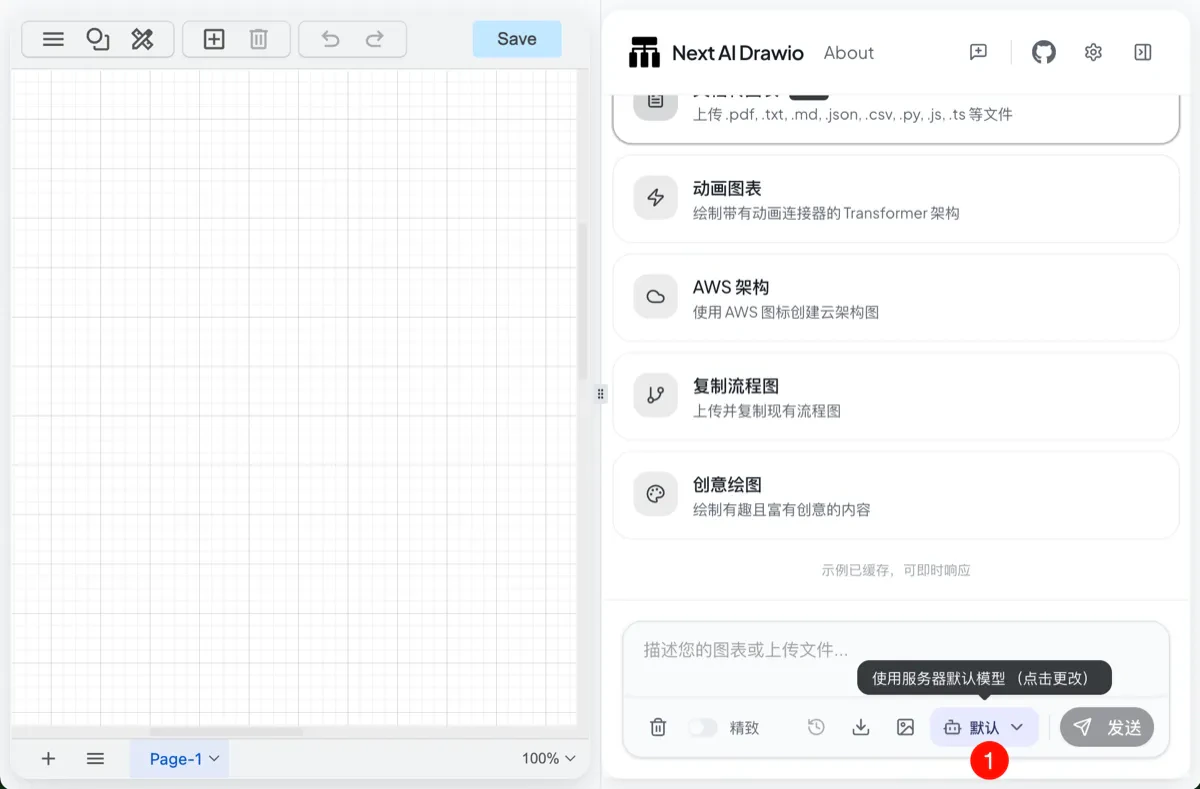
Select an AI provider and enter the API Key
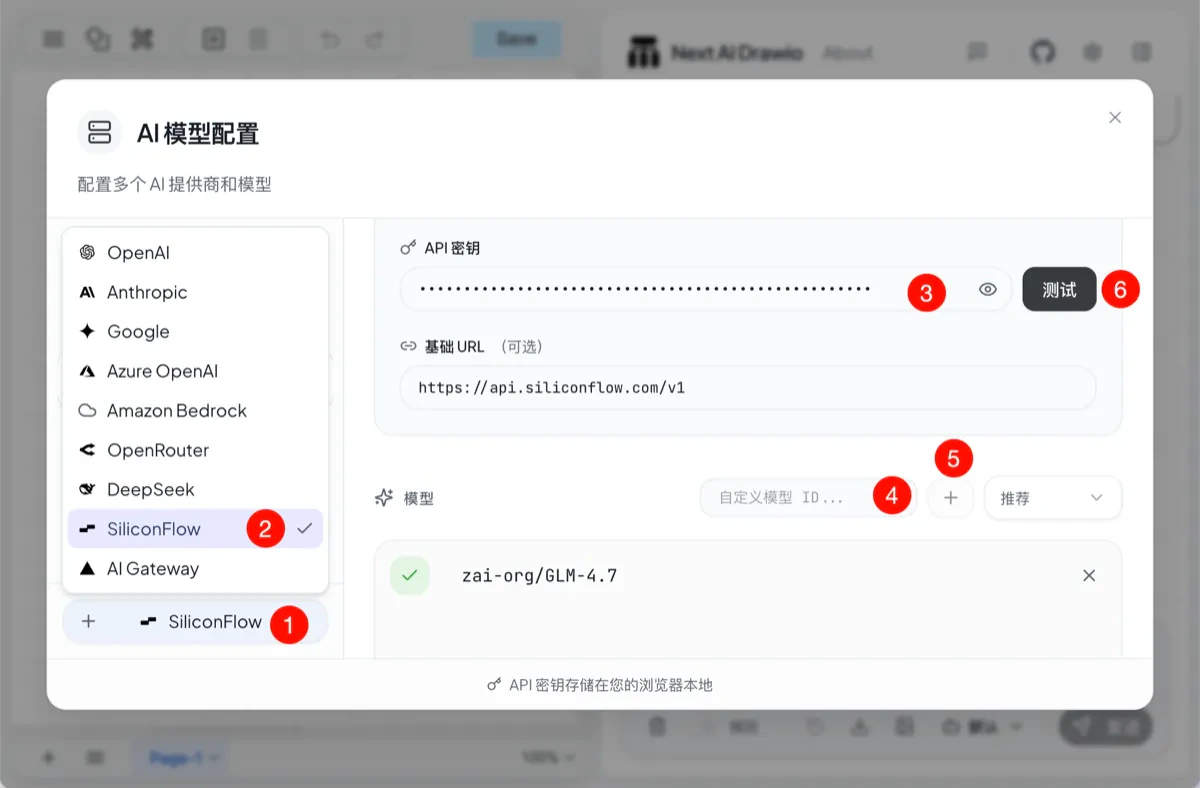
  1. Click the Add Model button
  2. Select SiliconFlow
  3. Enter your API Key
  4. Enter the model name
  5. Click Save
  6. Test the model availability
When a plus sign appears in front of the model, it indicates that the model is available.

FAQ

Q: Why is the quality of the generated diagrams not good? A: Diagram generation requires strong model capabilities. Please use large-scale coding models (such as GLM-4.7, Minimax-M2, etc.) for better results. Q: What types of diagrams are supported? A: All diagram types supported by draw.io are supported, including flowcharts, architecture diagrams, UML diagrams, mind maps, and cloud architecture diagrams (AWS/GCP/Azure).