Lightrans
Updated: August 17, 2026
As the name suggests, Lightrans is a simple browser translation extension. It requires no registration or login, has no premium features, and simply integrates the API service provided by SiliconFlow. It comes with three free built-in models — Hunyuan-MT-7B, GLM-4-9B-0414, and Qwen3.5-4B — and offers popup translation, text selection translation, and full-page translation.
If these three models don't meet your needs, you can also fill in other model names when using your own API key.
1. Install Lightrans
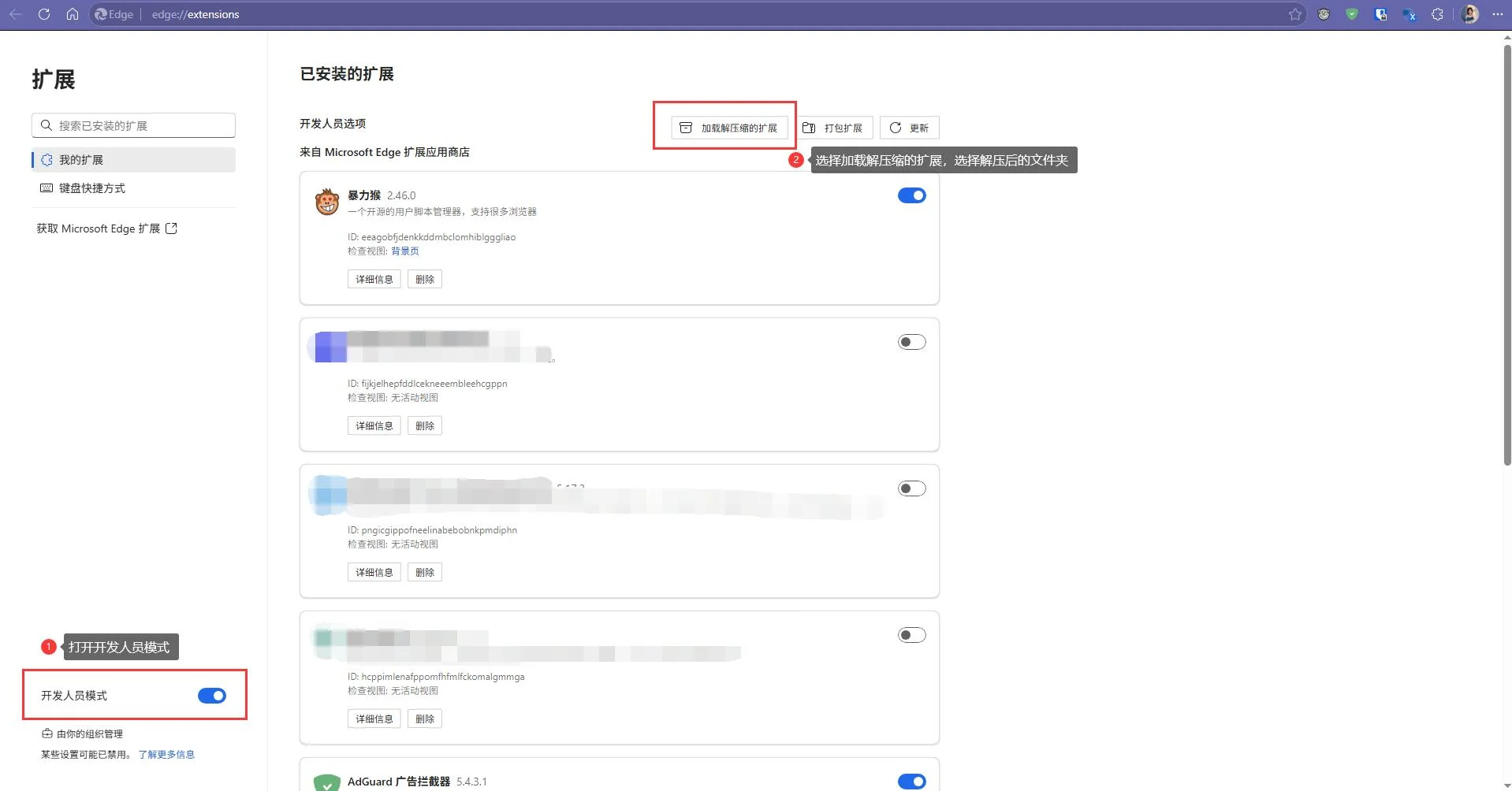
The Chrome version is now available on the Edge Add-ons store for quick installation.
The Firefox version can be downloaded from GitHub release. If you have trouble accessing GitHub, you can also download it from CNB release.

Lightrans also has a simple web version for use on devices where extensions are not supported.
2. Using Lightrans
2.1 Using SiliconFlow's Free Service
Since it comes with SiliconFlow's free models built in, you can start using it without any configuration right after installation.
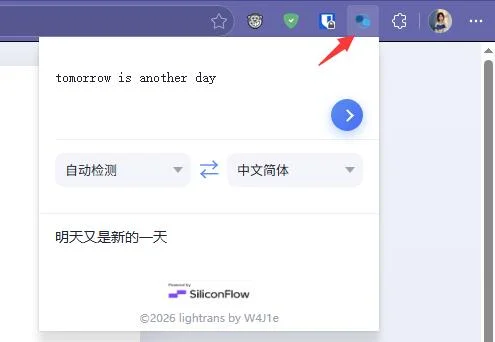
If you just want to quickly look up a word or a sentence, you can click the Lightrans icon in the browser toolbar to use the popup translation.

If you want to translate a specific word, sentence, or paragraph while browsing, simply select the text and click the automatically appearing button. You can switch between models on the translation panel at any time.

If you want to translate an entire web page, right-click at any time and select the model you want to use for full-page translation. In the banner at the top of the page, you can choose between "Show Original," "Show Translation," or "Side-by-Side" for reading.

PDF text selection translation is also supported (when the built-in PDF reader is enabled).

2.2 Customizing Other SiliconFlow Models
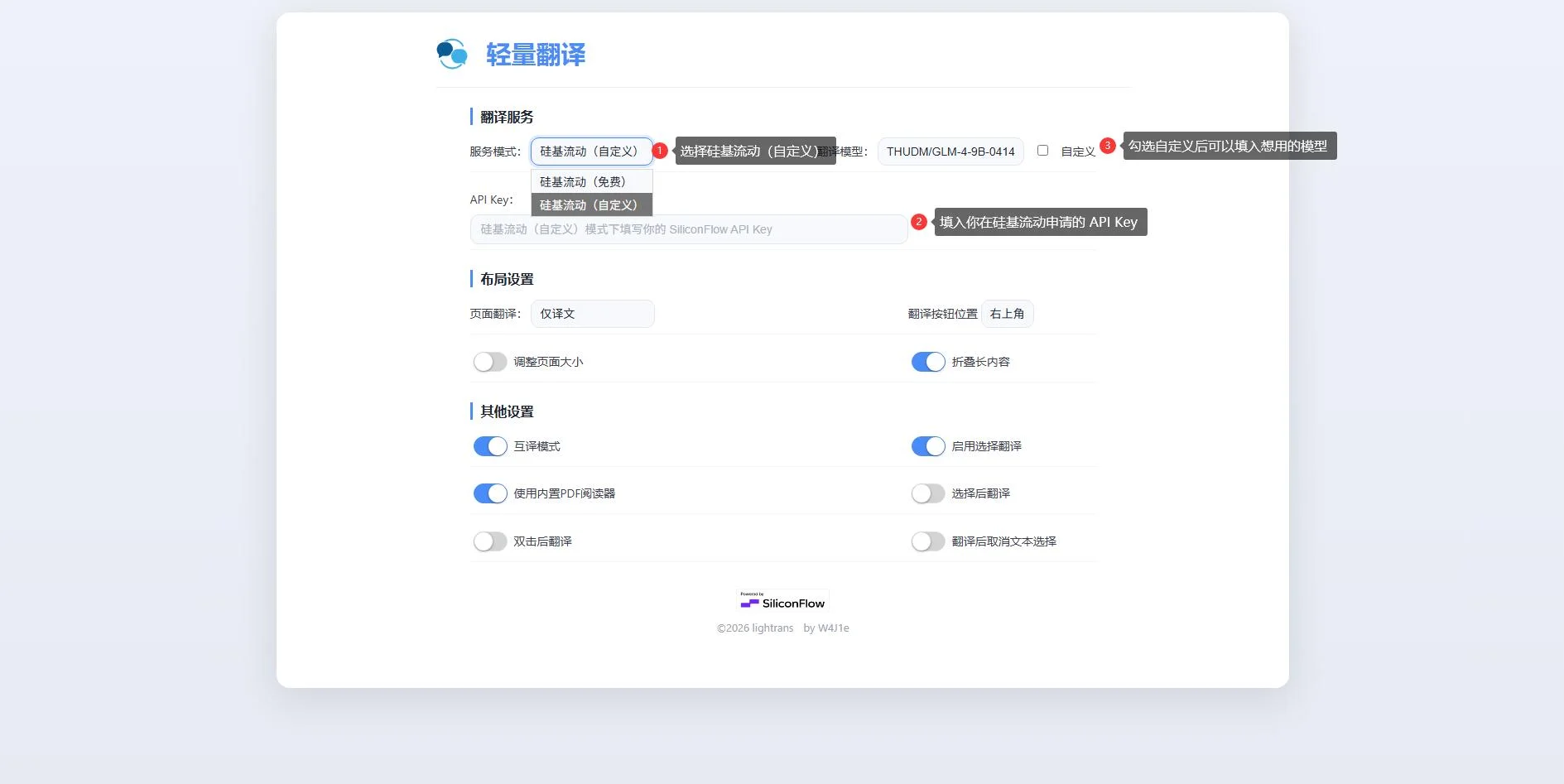
If you find the built-in models unsatisfactory in terms of translation quality or speed, you can customize the extension to use your own SiliconFlow API Key and any chat model available on SiliconFlow.
Simply:
-
Visit the SiliconFlow website to register or log in to your account.
-
Go to SiliconFlow API Keys, create a new API Key, and click to copy it.
-
Open the Lightrans settings page and follow the three steps shown in the image:

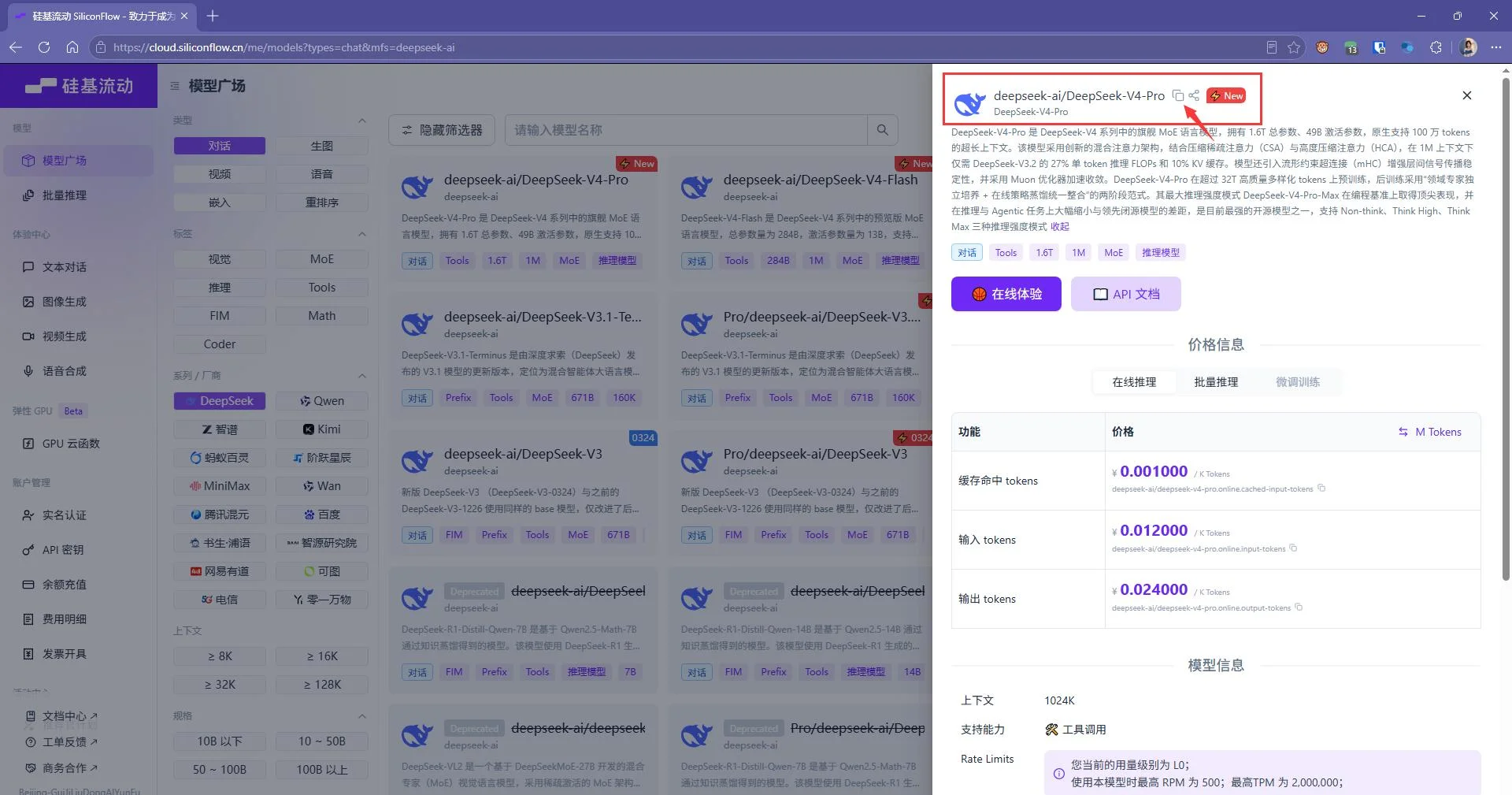
Please note: when customizing a model, the field must be filled in completely (vendor + model name). You can copy and paste it directly from the model detail page on SiliconFlow.