
Open Design
更新日期:2026年8月25日
Open Design 是一款开源、面向智能体的设计工作空间。它可以将你正在使用的编程智能体,如 Codex、Claude Code、Cursor、Gemini CLI、OpenCode 等变成完整的设计引擎:只需输入需求并选择设计系统,即可生成原型、落地页、数据看板、演示文稿、图片与视频等可编辑项目文件,并导出为 HTML、PDF、PPTX 或 MP4。
现在,Open Design 已内置支持硅基流动。通过在设置中配置硅基流动 API Key,你可以便捷调用 DeepSeek、Kimi、GLM、Qwen 等多种模型,为设计与创作任务选择合适的模型能力。
安装 Open Design
桌面端应用(推荐)
无需安装 Node.js、pnpm 或克隆代码仓库,下载安装后即可开始使用:
- macOS(Apple Silicon / Intel):前往 Open Design 官网 或 GitHub Releases 下载
- Windows(x64):前往 Open Design 官网 或 GitHub Releases 下载
- Linux(AppImage):前往 GitHub Releases 下载
安装完成后,Open Design 会自动识别系统中已安装的编程智能体 CLI,并加载内置技能与设计系统。
Docker 自托管
git clone https://github.com/nexu-io/open-design.git
cd open-design/deploy
cp .env.example .env
echo "OD_API_TOKEN=$(openssl rand -hex 32)" >> .env
docker compose up -d
启动后访问 http://localhost:7456。
从源码运行
git clone https://github.com/nexu-io/open-design.git
cd open-design
corepack enable && pnpm install
pnpm tools-dev run web
该方式需要 Node.js 24 左右版本及 pnpm 10.33.x。更多说明请参考 Open Design 快速开始文档。
获取 SiliconFlow API Key
- 访问 SiliconFlow 官网 注册或登录账号。
- 进入 API 密钥页面,创建新的 API Key 并复制。
在 Open Design 中配置硅基流动
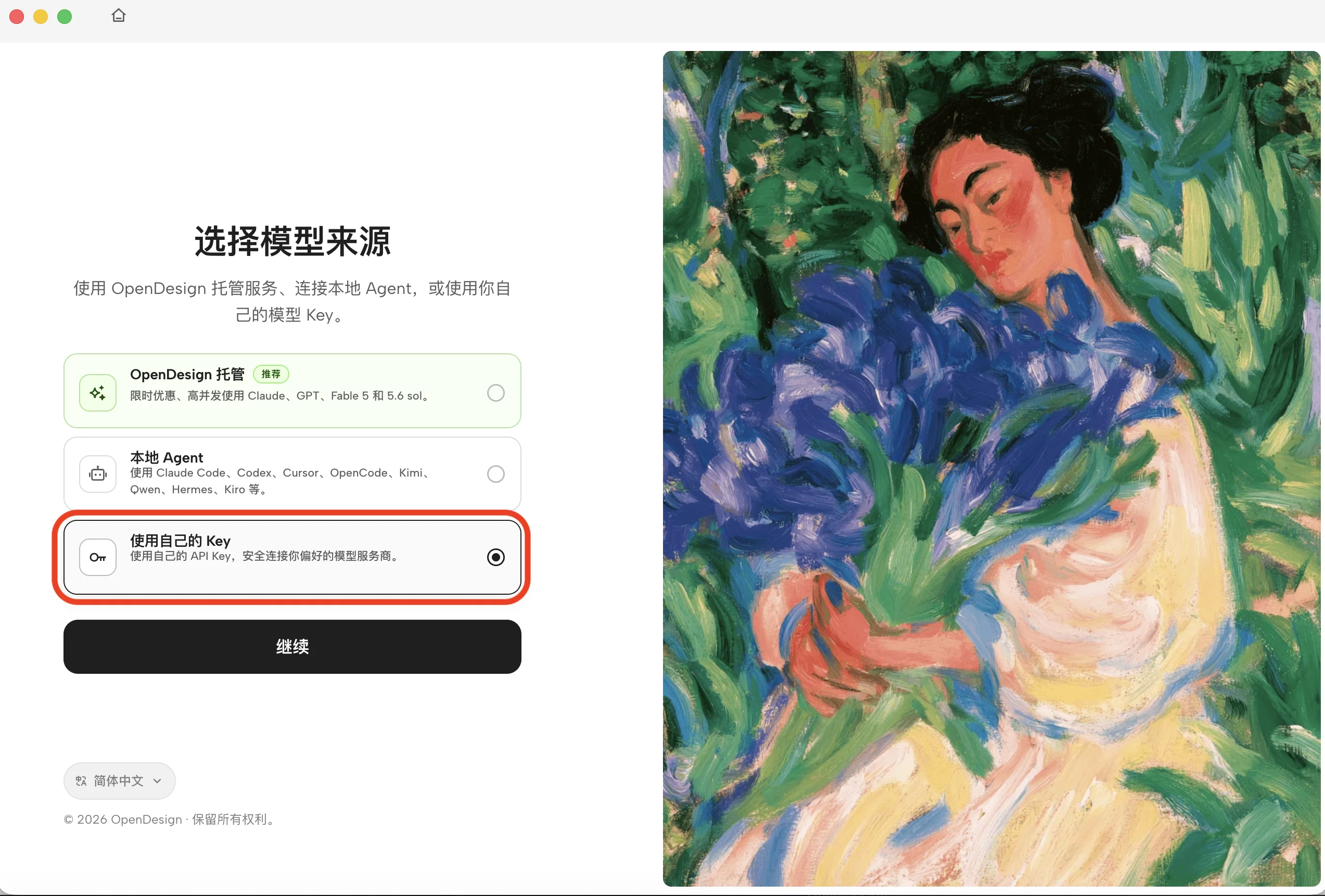
在 Open Design 登录页,选择「本地 Agent」或「使用自己的 Key」。
- 在 API 提供商中选择 OpenAI。
- 在提供方中选择 SiliconFlow(CN)。
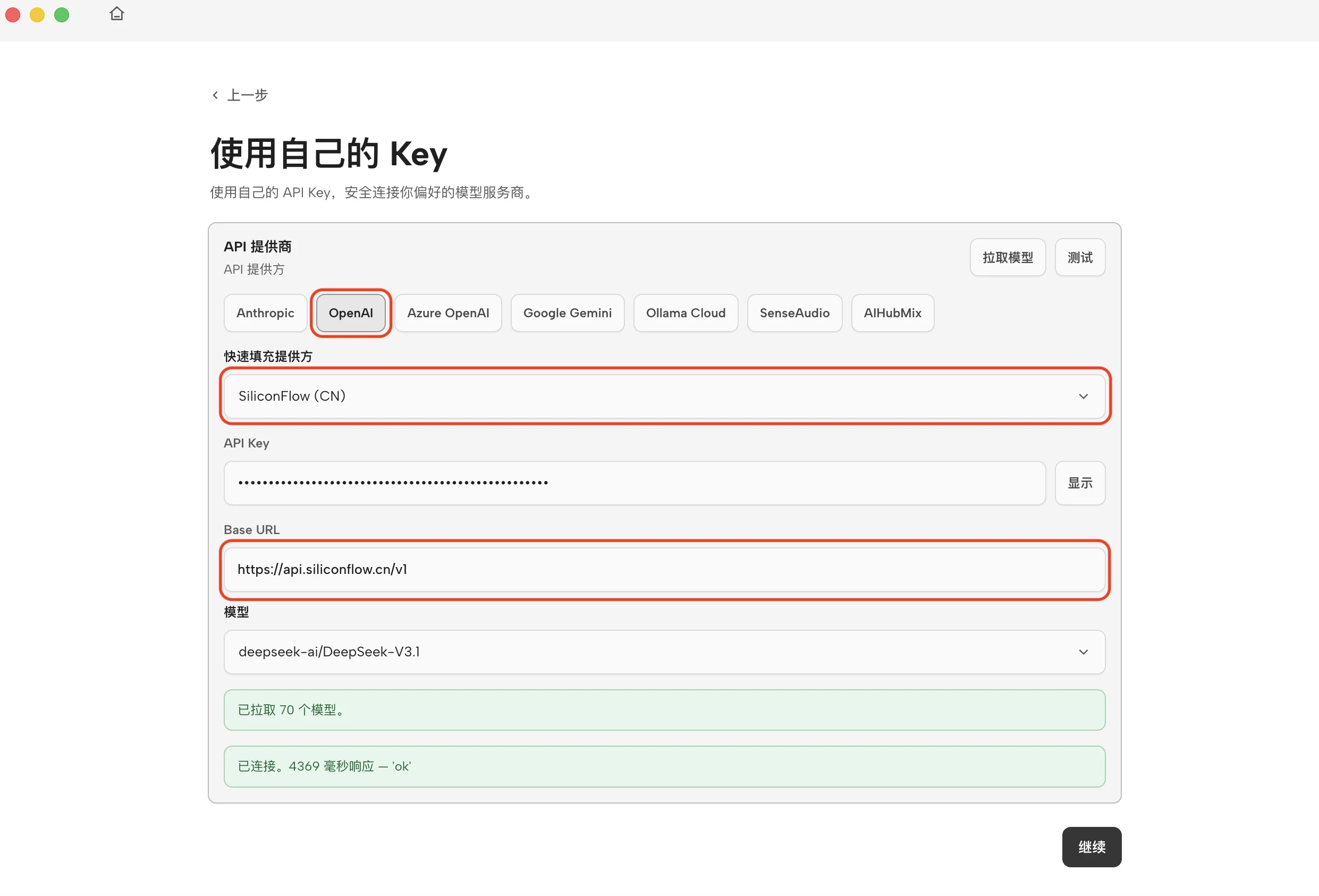
- 粘贴你的硅基流动 API Key。
- 确认 Base URL 为:
https://api.siliconflow.cn/v1- 在模型栏下拉选择模型,比如:
deepseek-ai/DeepSeek-V4-Pro完成后,Open Design 即可通过硅基流动 API 执行 BYOK 设计任务。
生成你的第一个设计
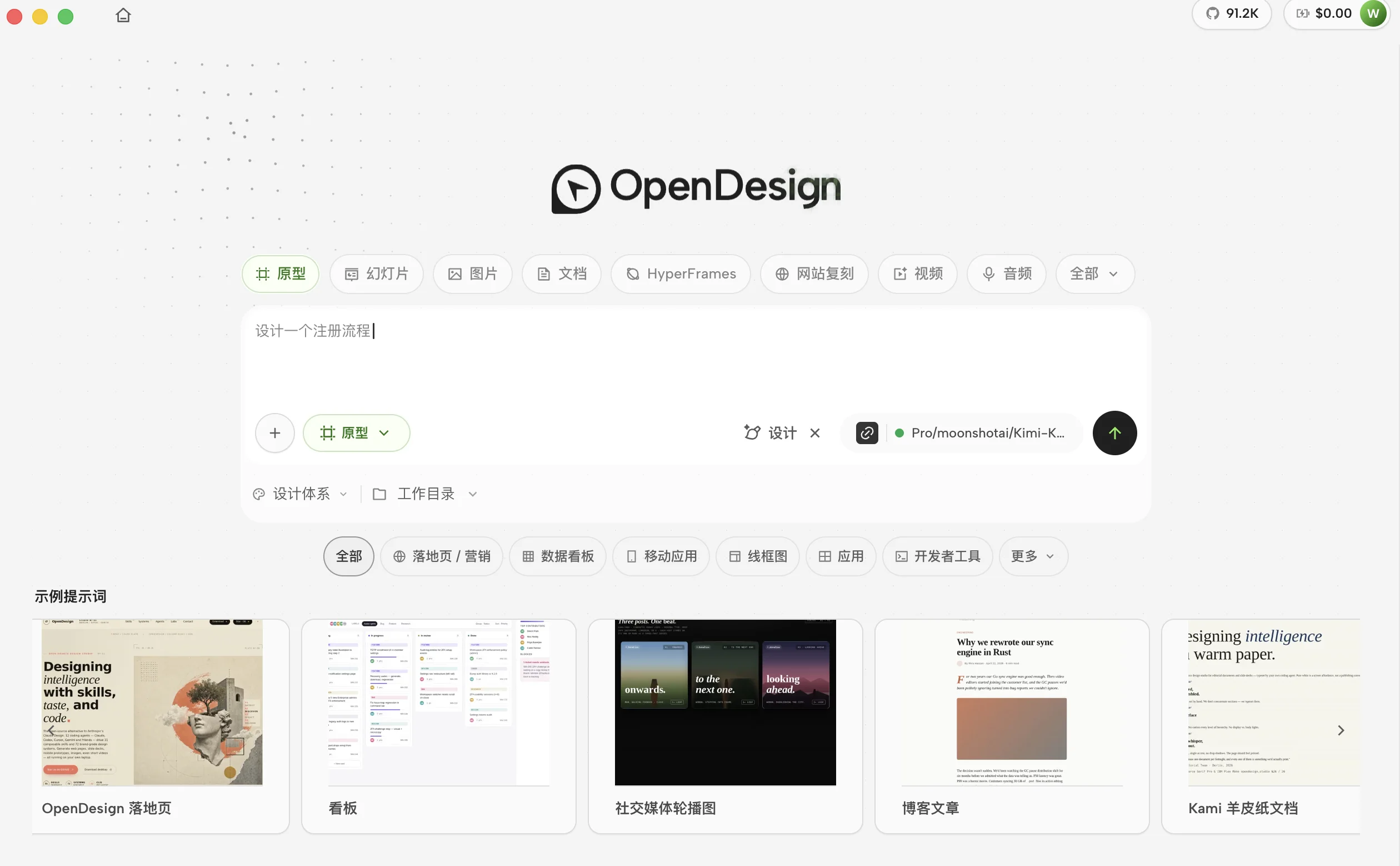
- 返回 Open Design 首页,选择「新建项目」或「开始设计」。
- 选择所需技能或设计模板,例如原型、幻灯片等等。
- 在对话框中输入需求并开始生成。例如:
创建一个响应式登录页,包含邮箱、密码和 SSO 登录方式,整体采用 Apple 风格。- Open Design 会在沙盒预览中实时生成设计结果。
- 审核结果后,再决定是否接受对本地文件的修改。
你还可以继续:
- 在同一项目中通过追问持续迭代;
- 导出 HTML、PDF、PPTX 或 ZIP;
- 将生成的 HTML/CSS 交给 Cursor、Codex 或 Claude Code,继续完成开发。
可以用 Open Design 做什么
接入硅基流动后,你可以在 Open Design 中完成:
- 产品原型:落地页、Web 应用、移动端界面
- 演示文稿:可导出 PPTX、PDF 的方案与汇报材料
- 数据看板:运营分析面板、KPI 看板、决策驾驶舱
- 视觉内容:品牌图片、海报、动态视觉与视频素材
不同模型适合不同任务。你可以在设置中灵活切换:使用轻量模型快速探索,用更强的模型完成复杂页面、长上下文设计规范或完整项目生成。
模型选择建议
设计类任务通常需要模型具备较强的指令理解、长上下文处理和前端代码生成能力,因为智能体往往需要同时阅读设计规范、技能说明与项目上下文,并生成完整可运行的产物。
准备好开始了吗?创建硅基流动 API Key,在 Open Design 中完成配置,即可开始生成可编辑、可交付的设计作品。