> ## Documentation Index
> Fetch the complete documentation index at: https://docs.siliconflow.cn/llms.txt
> Use this file to discover all available pages before exploring further.
# WenDao
> Updated: May 26, 2025
## 1. About WenDao
[WenDao](https://wendao.aihub.ren) is an AI chat platform themed around the philosophy of Dao (Tao). It features pre-configured Daoist figures (such as Laozi, Zhuangzi, etc.) as interactive characters. Users can engage in dialogue with these "Daoist sages" to explore Daoist thought, blending cultural dissemination with intelligent interaction.
The platform's chat service is powered by the [SiliconFlow](https://cloud.siliconflow.cn/) API. This guide introduces how to use **SiliconFlow** API services on the WenDao website.
## 2. Obtain an API Key
> It is recommended to configure your own SiliconFlow API key, which will take priority. If not set, a built-in key will be used (which may be rate-limited during peak usage).
1. Visit the [SiliconFlow official website](https://cloud.siliconflow.cn/) and register an account (or log in if you already have one).
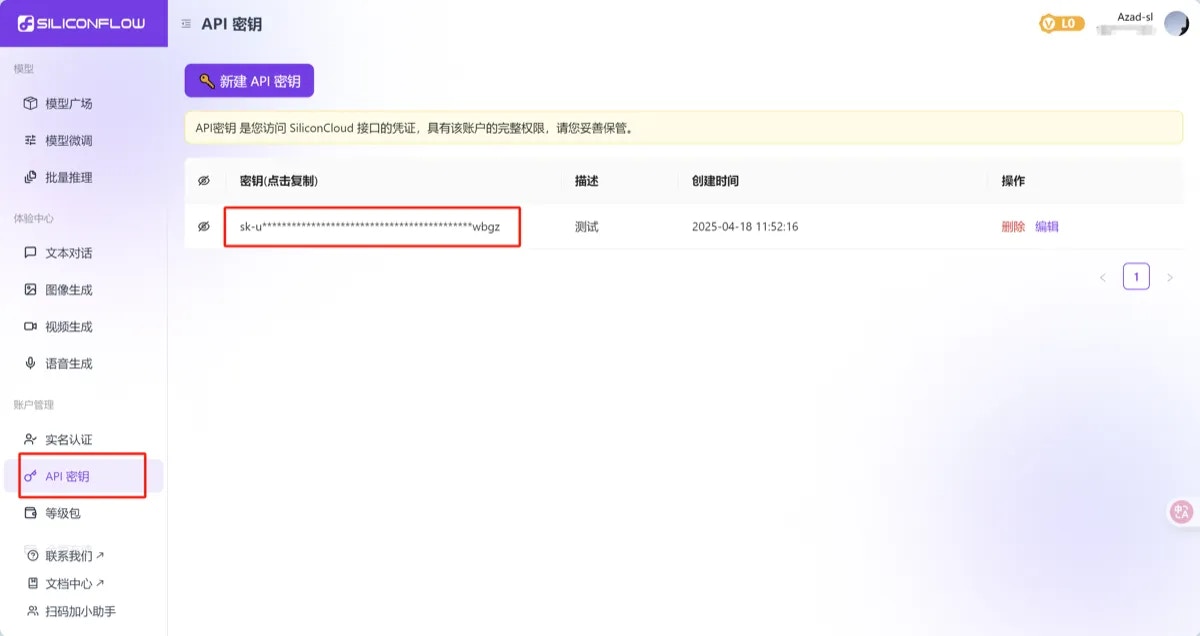
2. After registration, go to the [API Key page](https://cloud.siliconflow.cn/account/ak), click **Create API Key**, then click the key to copy it for later use.
 ## 3. Using the Platform
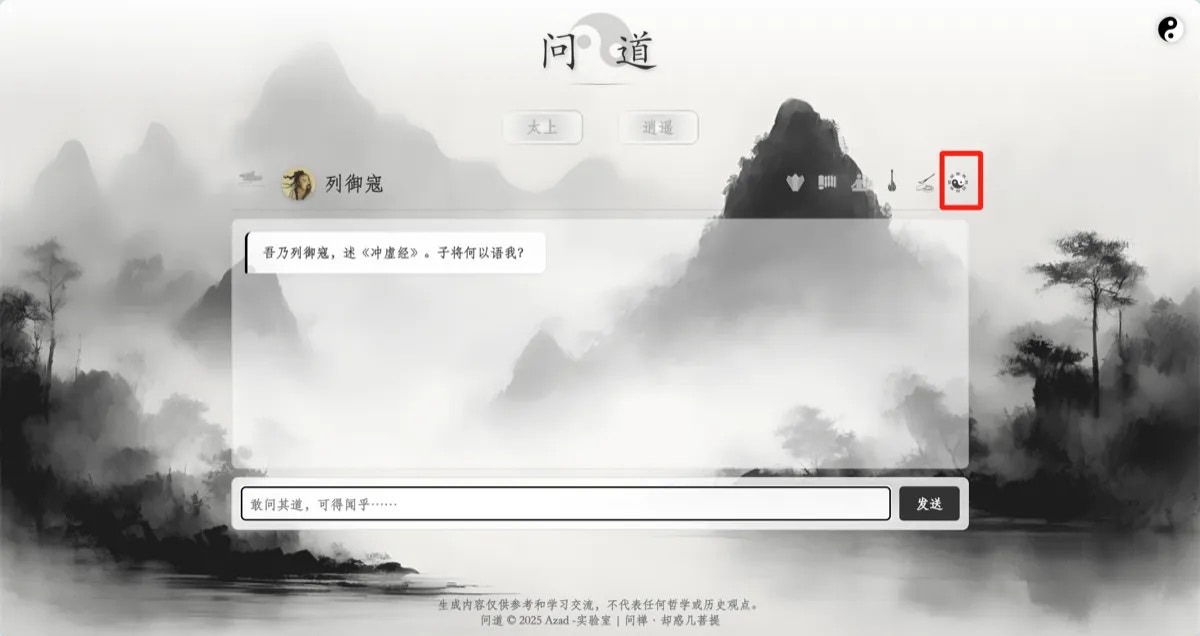
1、On the [WenDao homepage](https://wendao.aihub.ren), select any character card. After entering the chat window, click the **Taiji & Bagua icon** at the top right to open the **Settings Panel**. Paste the API Key you just copied into the API Key field. You can also customize the API URL, model name, and temperature settings as needed. After configuring, click **Save Settings** to apply.
## 3. Using the Platform
1、On the [WenDao homepage](https://wendao.aihub.ren), select any character card. After entering the chat window, click the **Taiji & Bagua icon** at the top right to open the **Settings Panel**. Paste the API Key you just copied into the API Key field. You can also customize the API URL, model name, and temperature settings as needed. After configuring, click **Save Settings** to apply.
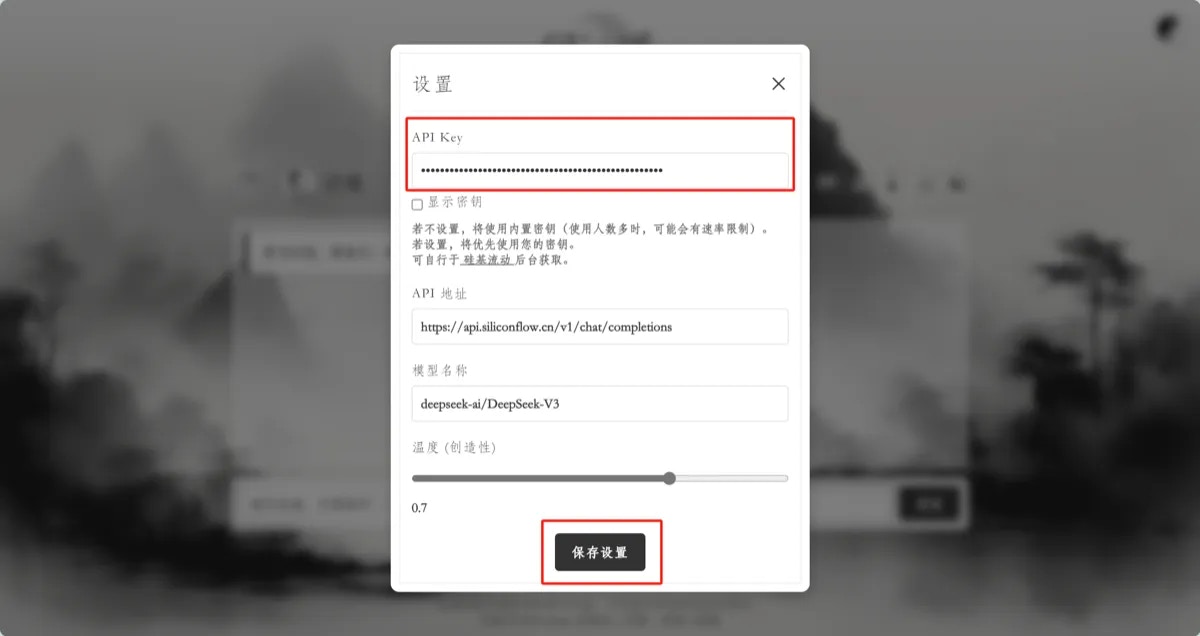 2、To use on individual pages for Laozi and Zhuangzi: Click "Taishang" or "Xiaoyao" on the homepage to enter the respective page. In the chat window, click the "**枢**" button at the top right to open the settings. Paste your API Key into the settings panel.
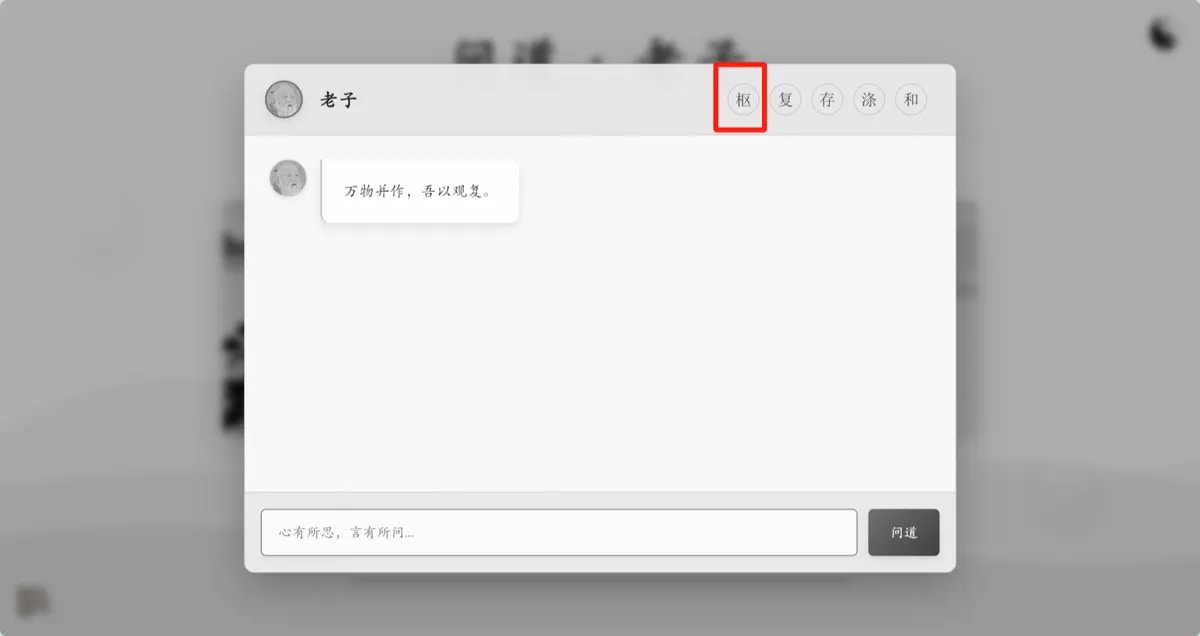 3、Once configuration is complete, you can start chatting directly in the dialogue box. Feel free to explore additional page features on your own.