> ## Documentation Index
> Fetch the complete documentation index at: https://docs.siliconflow.cn/llms.txt
> Use this file to discover all available pages before exploring further.
# Nobase
> Updated: September 26, 2025
NoBase is an all-in-one backend API integration platform launched by XunAn Technology.\
It is designed to provide users with an efficient experience: no need to write backend code—simply copy the API endpoint and access data directly, while using the admin panel to monitor operational data in real time.
Official website: [nobase.cn](https://nobase.cn/)
NoBase integrates APIs from multiple functional systems:
* Application system, user system (login, registration, etc.)
* Card/key (redeem code), email, forum systems
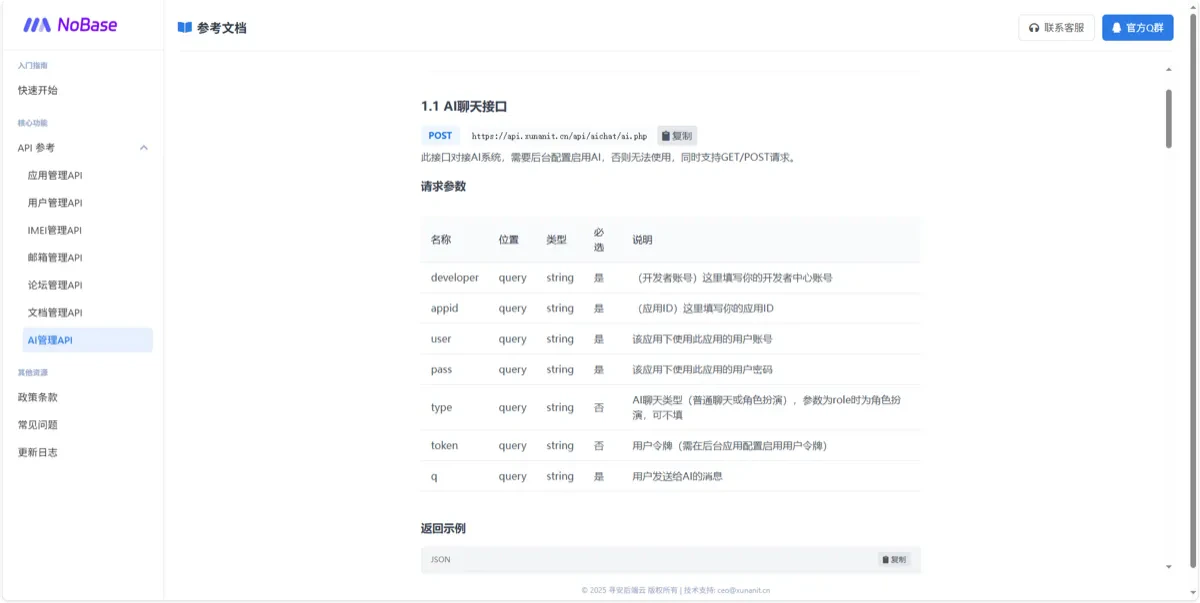
* AI large model dialogue API, role-playing (prompt-based agent) system
* Cloud document system (text, JSON, web pages)
* More system APIs coming soon...
## SiliconFlow AI Model Configuration Tutorial
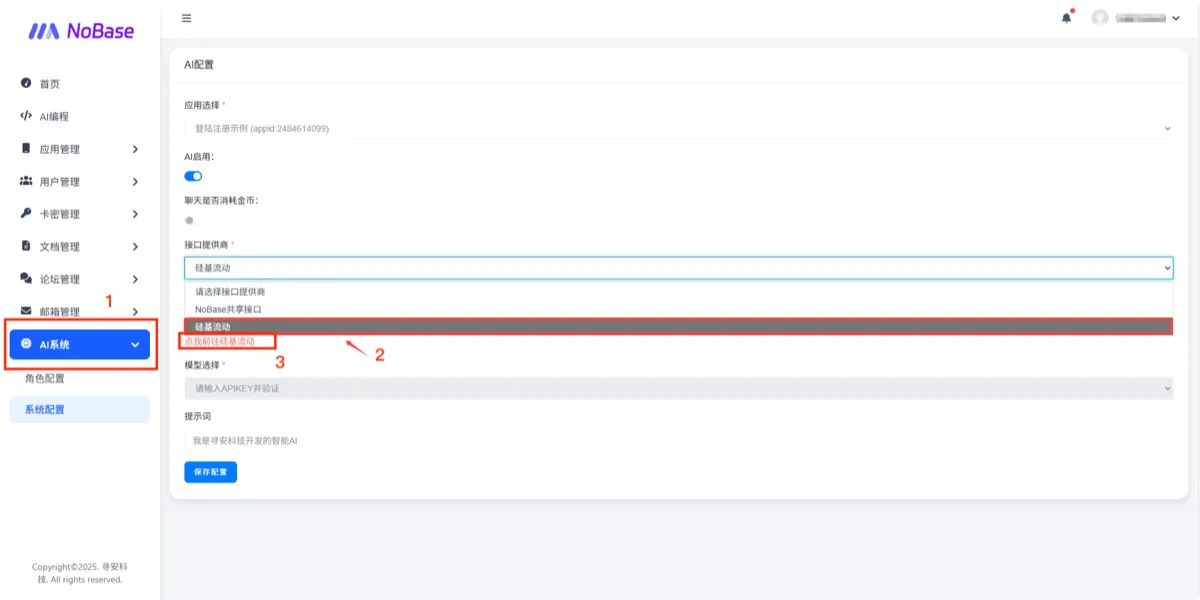
* Open the homepage and go to **AI System -> System Configuration**.
* Select **SiliconFlow** as the provider, then click the link below to enter SiliconFlow.
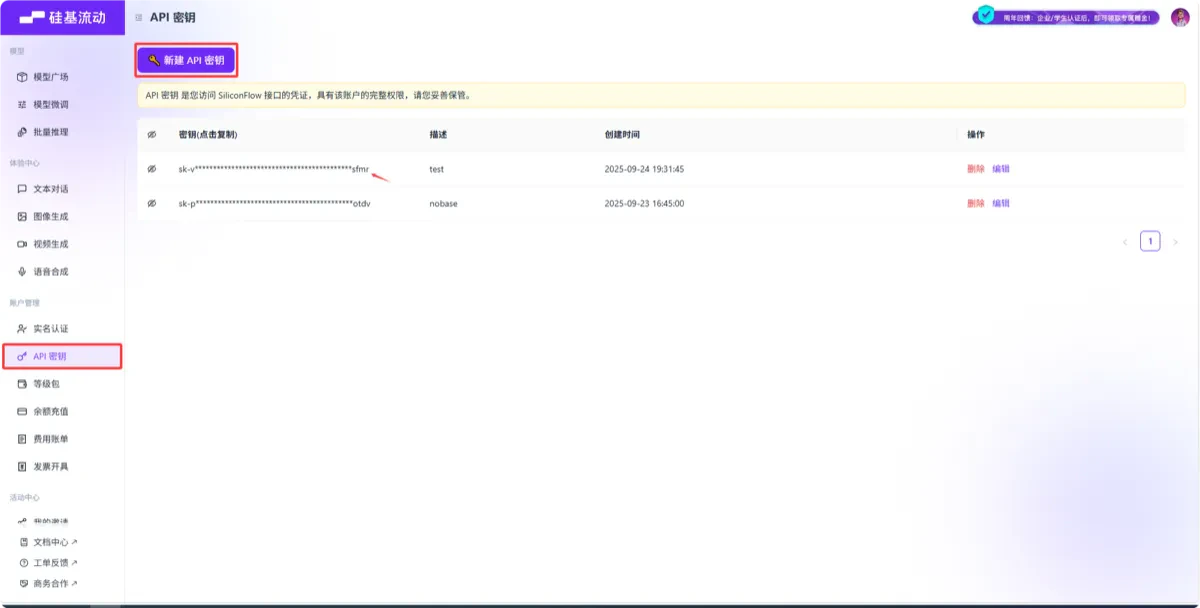
 * On the SiliconFlow page, log in if you haven’t already, then go to the **API Key Management** page.
* If there is no API key listed, click the blue button **"Create API Key"** at the top, then copy the generated key.
* On the SiliconFlow page, log in if you haven’t already, then go to the **API Key Management** page.
* If there is no API key listed, click the blue button **"Create API Key"** at the top, then copy the generated key.
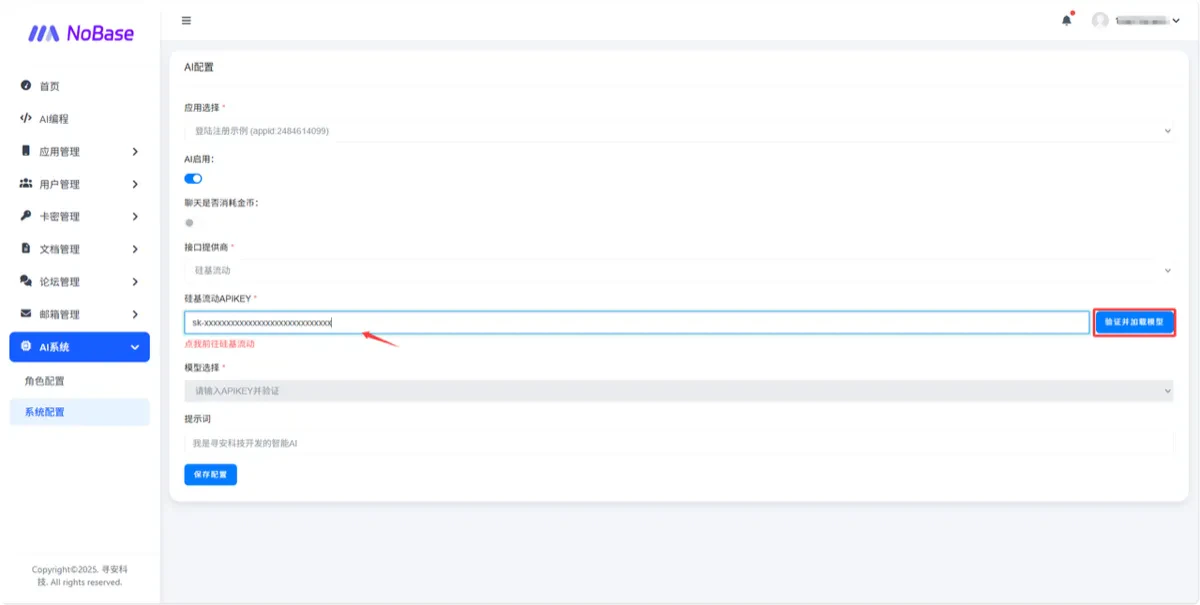
 * Return to NoBase, paste the **API Key**, then click **Verify & Load Models** on the right to display the available models.
 * Once verified, you will be able to select models from SiliconFlow.
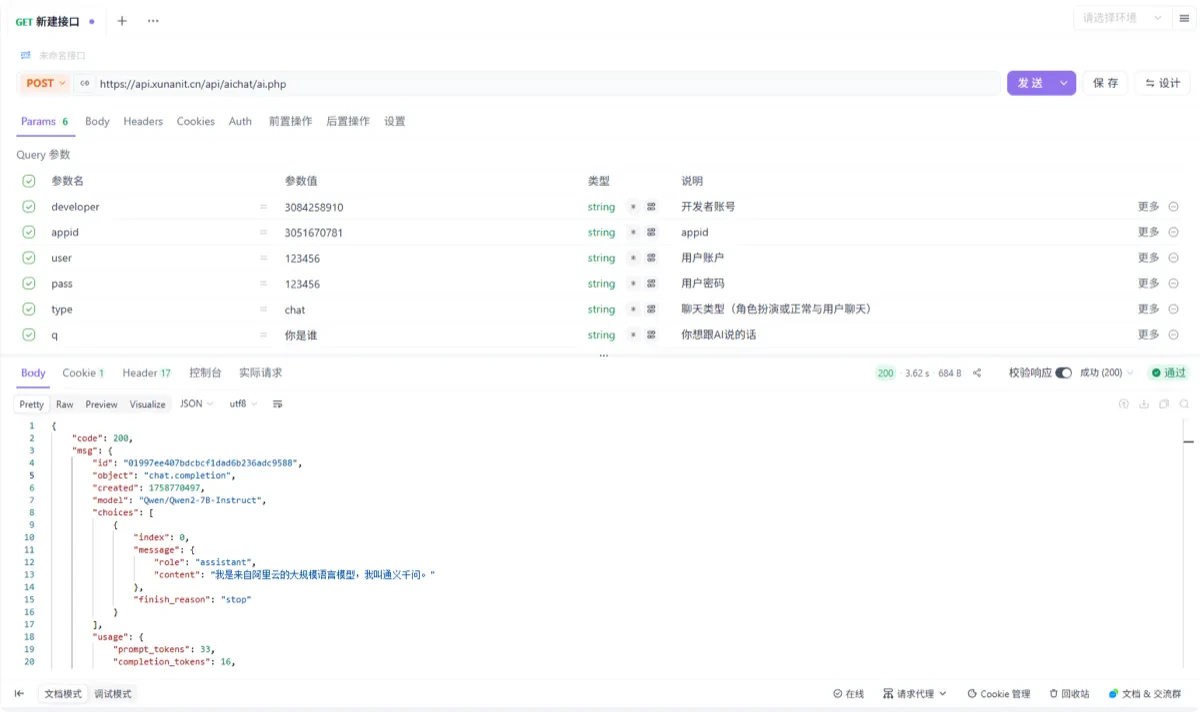
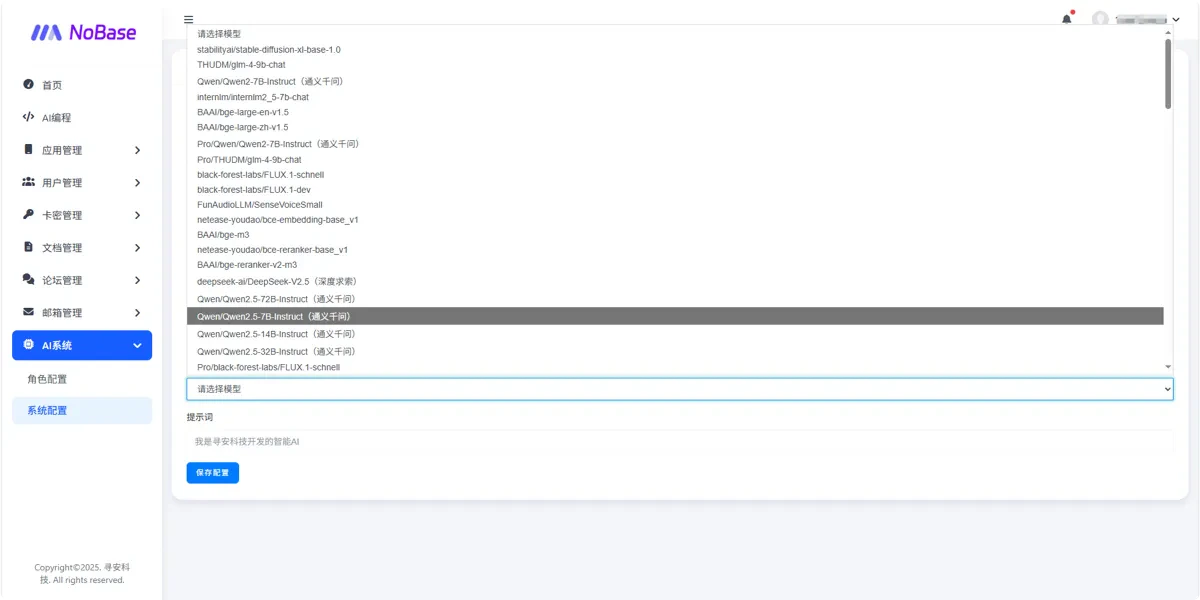 * Click **Save** to complete the AI API configuration. After that, you can request the interface according to the documentation and successfully call SiliconFlow models.
 > For questions or feedback, you may join the [天使用户群](https://qm.qq.com/q/TO50m57Nok).