> ## Documentation Index
> Fetch the complete documentation index at: https://docs.siliconflow.cn/llms.txt
> Use this file to discover all available pages before exploring further.
# Chatika
> Updated: June 13, 2025
## 1. About Chatika
**Chatika** is a free AI chat client for iOS that allows users to freely interact with various AI models by entering their own API keys for different providers or using locally deployed Ollama models. It features: **high privacy**, **high flexibility**, **rich chat functionalities**, and **native development**.
The latest version of Chatika has partnered with SiliconFlow, offering new users a trial mode with full model access—no API key required.
## 2. Installation & Setup
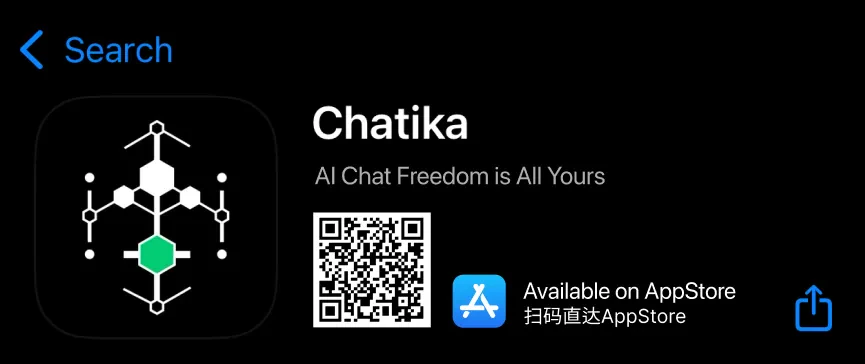
Search for **Chatika** in the Apple AppStore or scan the QR code below. **Minimum system requirement: iOS 17.1**.
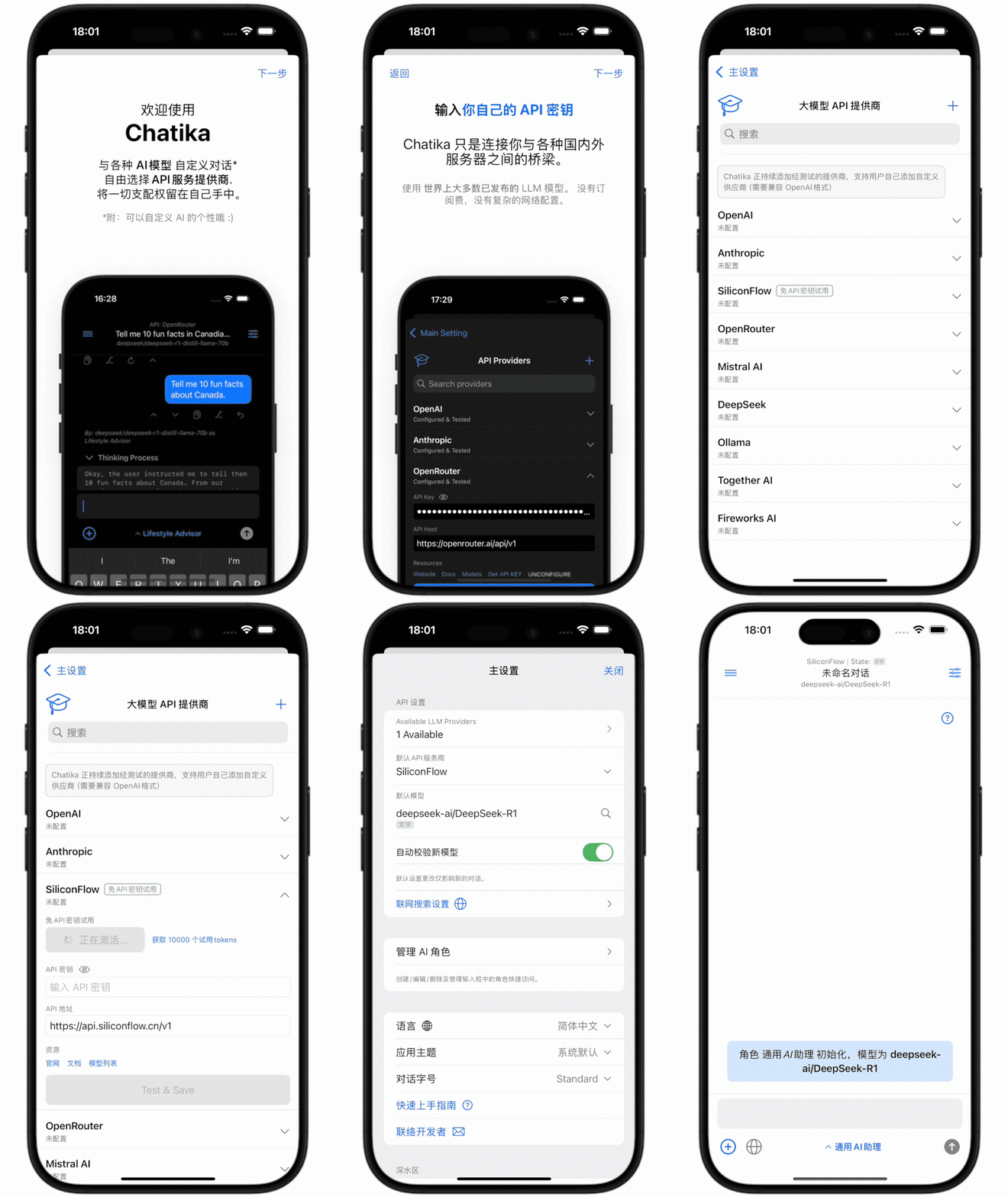
 Upon first launch, you’ll be greeted with a welcome page (the app language is automatically set based on your system language—currently supports English and Chinese).
You’ll then be guided to the Provider setup screen, where you can enter your API keys or configure an Ollama Host for local network access.
Alternatively, **click "SiliconFlow" to activate a trial, which grants 10,000 tokens for testing**. All models available on SiliconFlow are open for use—simply activate the trial or enter your API keys to start chatting.
Upon first launch, you’ll be greeted with a welcome page (the app language is automatically set based on your system language—currently supports English and Chinese).
You’ll then be guided to the Provider setup screen, where you can enter your API keys or configure an Ollama Host for local network access.
Alternatively, **click "SiliconFlow" to activate a trial, which grants 10,000 tokens for testing**. All models available on SiliconFlow are open for use—simply activate the trial or enter your API keys to start chatting.
 ## 3. Chat Interface
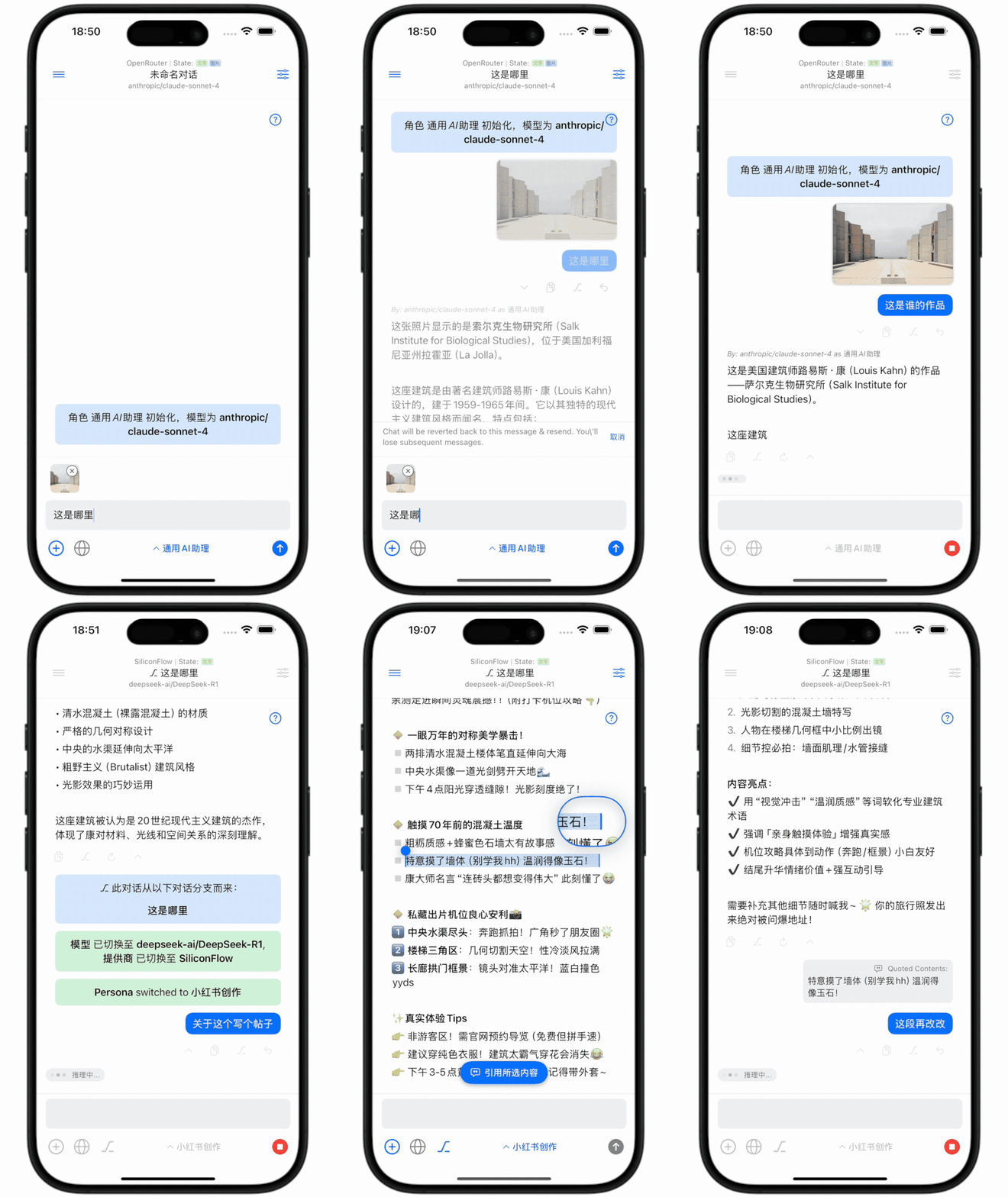
**The chat interface is the app’s main screen**.
* **Top bar**: The provider name is displayed alongside a "State" badge indicating model capabilities. If the model supports multimodal input, a "Image" badge will appear, allowing image uploads.
* **Middle section**: The main chat area. Additional actions like **"Quote," "Create Branch," "Resend from a Point," and "Regenerate Response"** are available below messages.
* **Bottom toolbar**: A "Persona" quick-select bar with preset AI personas and support for custom persona settings.
## 3. Chat Interface
**The chat interface is the app’s main screen**.
* **Top bar**: The provider name is displayed alongside a "State" badge indicating model capabilities. If the model supports multimodal input, a "Image" badge will appear, allowing image uploads.
* **Middle section**: The main chat area. Additional actions like **"Quote," "Create Branch," "Resend from a Point," and "Regenerate Response"** are available below messages.
* **Bottom toolbar**: A "Persona" quick-select bar with preset AI personas and support for custom persona settings.
 ### Chat Settings & Templates
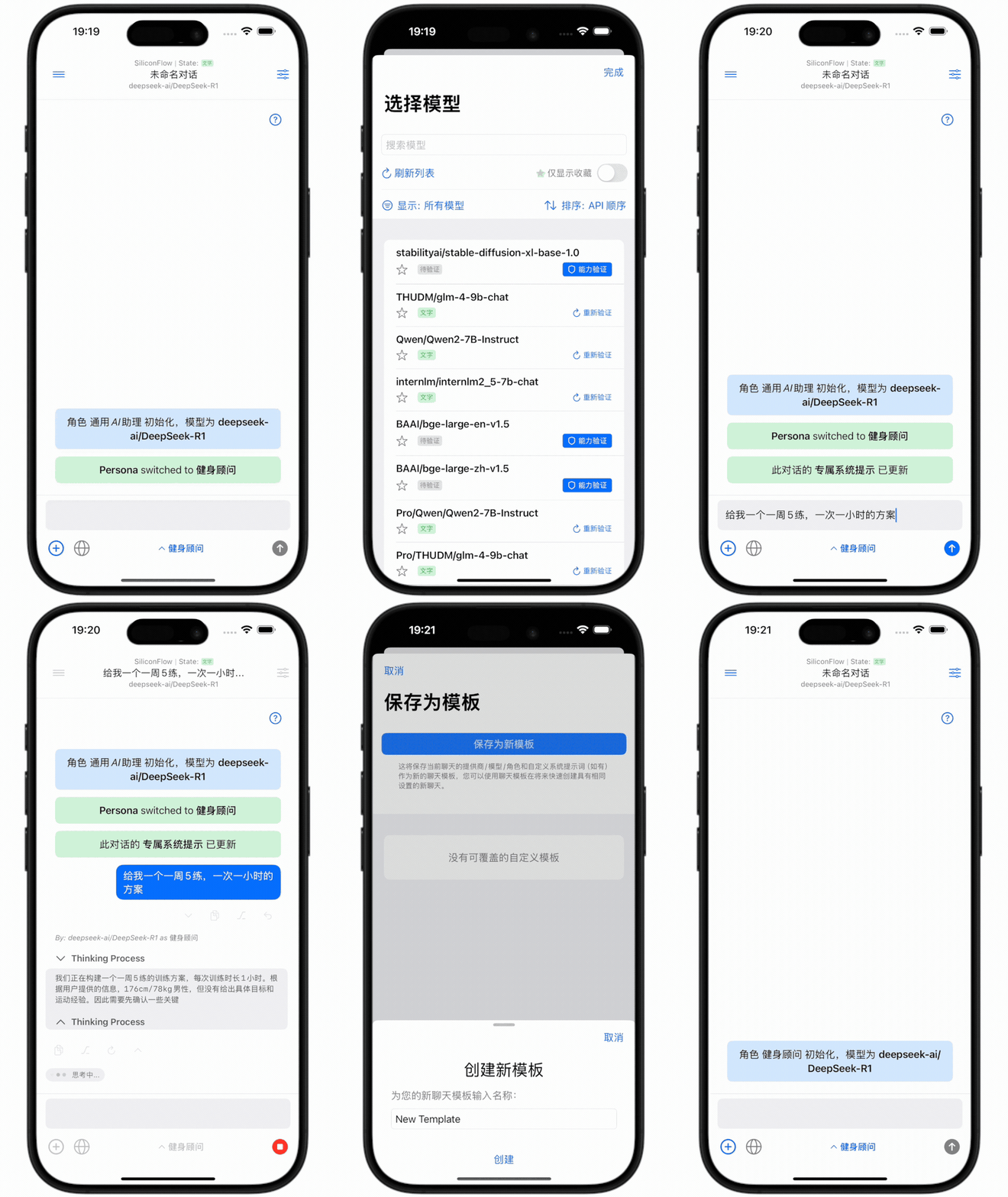
Tap the chat title or the settings button in the top-right corner to access the **current chat’s configuration**. Here, you can change the model/persona. Note the **Custom Prompt** field—this applies only to the current chat and doesn’t affect other conversations. You can also save the current setup as a template for future reuse.
### Chat Settings & Templates
Tap the chat title or the settings button in the top-right corner to access the **current chat’s configuration**. Here, you can change the model/persona. Note the **Custom Prompt** field—this applies only to the current chat and doesn’t affect other conversations. You can also save the current setup as a template for future reuse.
 ### Chat Management
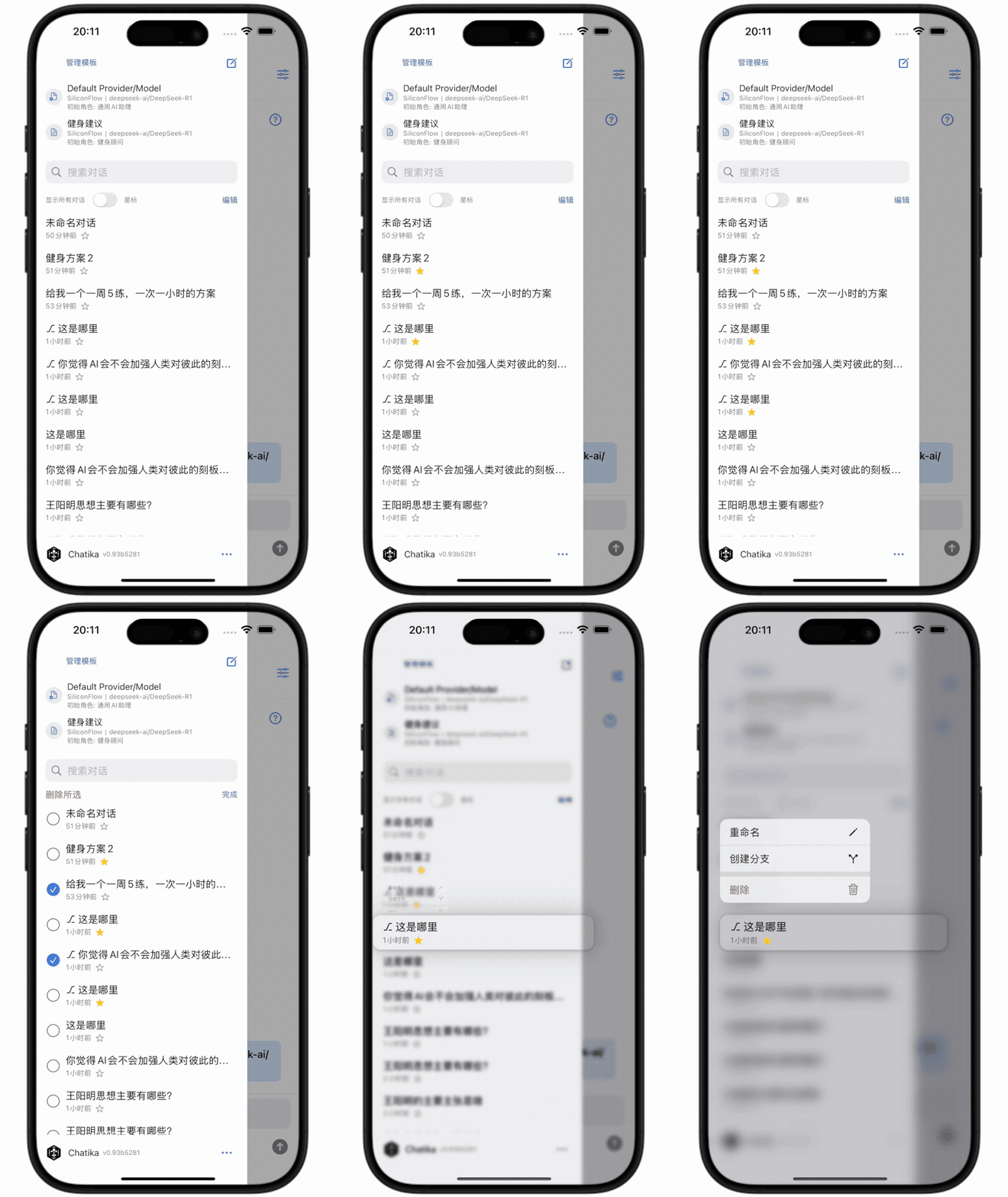
Tap the **sidebar button** in the top-left corner of the chat to open the sidebar panel.
Here, you can **search**, **star**, or **bulk-delete** chats. Long-press a chat to rename, delete, or create a duplicate branch.
### Chat Management
Tap the **sidebar button** in the top-left corner of the chat to open the sidebar panel.
Here, you can **search**, **star**, or **bulk-delete** chats. Long-press a chat to rename, delete, or create a duplicate branch.
 ## 4. Online Search
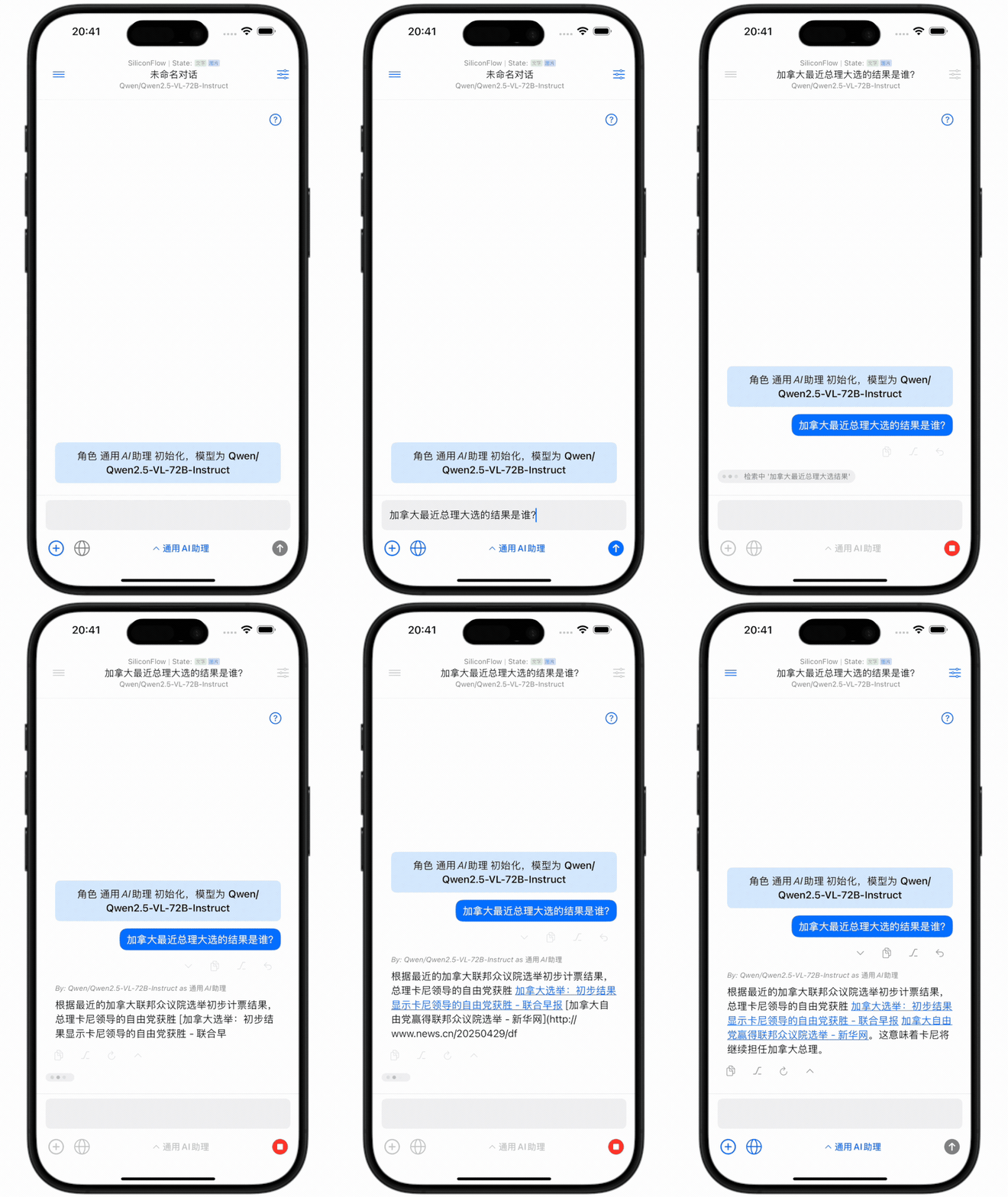
Chatika supports real-time online search. Simply enter the search provider’s API key to enable live search results during chats.
## 4. Online Search
Chatika supports real-time online search. Simply enter the search provider’s API key to enable live search results during chats.
 ## 5. Future Plans
Chatika is an independent passion project, with plans to open-source the app in the near future.
Currently focused on enabling flexible AI conversations on mobile, Chatika may introduce limited MCP support later to enable basic Agent-like operations.
For bug reports or feedback, contact: [dev@chatika.app](mailto:dev@chatika.app)
## 5. Future Plans
Chatika is an independent passion project, with plans to open-source the app in the near future.
Currently focused on enabling flexible AI conversations on mobile, Chatika may introduce limited MCP support later to enable basic Agent-like operations.
For bug reports or feedback, contact: [dev@chatika.app](mailto:dev@chatika.app)