> ## Documentation Index
> Fetch the complete documentation index at: https://docs.siliconflow.cn/llms.txt
> Use this file to discover all available pages before exploring further.
# Trancy
> Updated: November 10, 2025
Trancy offers immersive web translation, word/sentence selection translation, subtitle translation, and PDF translation. Beyond translation, Trancy also enables interest-driven language learning, helping you acquire a new language progressively.
Trancy is integrated with SiliconFlow APIs and ships with a free built-in model: Qwen/Qwen2-7B-Instruct. You can also manually add other models inside Trancy.
## Download Trancy
Supported on major browsers (Chrome / Edge / Firefox / Safari).
Get it here: [Trancy ](https://www.trancy.org/download)
## Use SiliconFlow in Trancy
### Use the free built-in model (default)
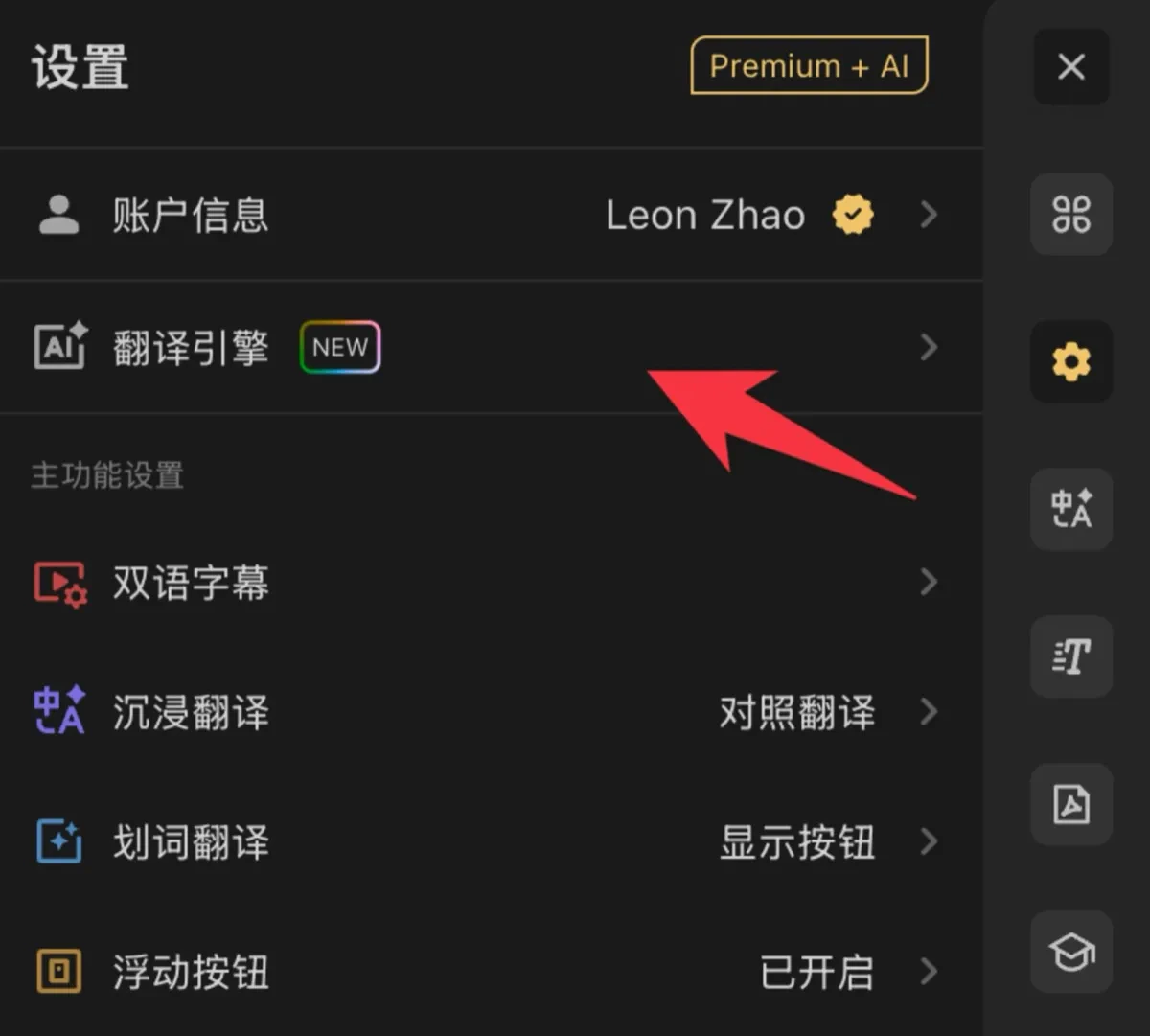
1. Click the Trancy extension icon → Settings.
2. Open Translation Engine, choose SiliconFlow.
The default built-in model is Qwen/Qwen2-7B-Instruct—ready to use.
 ### Use other SiliconFlow models
1. Go to [SiliconFlow](https://siliconflow.cn/) and sign up / log in.
2. Visit [API Keys](https://cloud.siliconflow.cn/account/ak), create a new key and copy it.
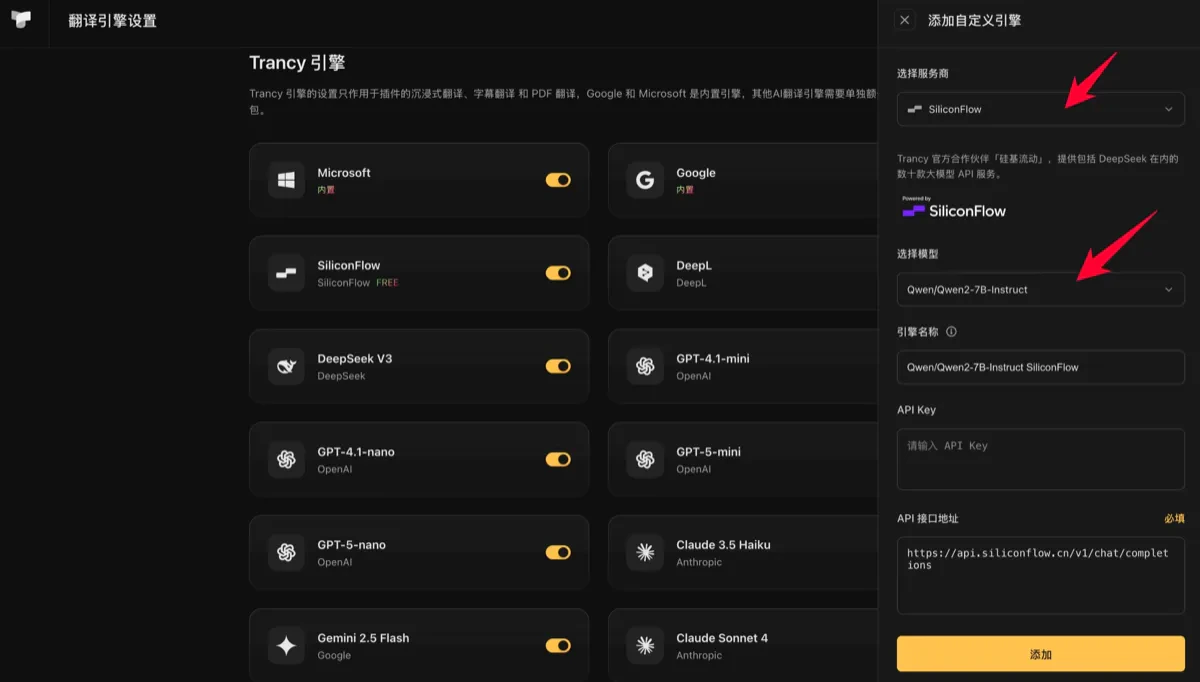
3. In Trancy’s Engine Management page, click Add (top-right or empty state) and Pick the model you want;
4. Paste your API Key into SiliconFlow Translation Service;
5. Save and start using it in the extension.
### Use other SiliconFlow models
1. Go to [SiliconFlow](https://siliconflow.cn/) and sign up / log in.
2. Visit [API Keys](https://cloud.siliconflow.cn/account/ak), create a new key and copy it.
3. In Trancy’s Engine Management page, click Add (top-right or empty state) and Pick the model you want;
4. Paste your API Key into SiliconFlow Translation Service;
5. Save and start using it in the extension.