> ## Documentation Index
> Fetch the complete documentation index at: https://docs.siliconflow.cn/llms.txt
> Use this file to discover all available pages before exploring further.
# Trancy
> 更新日期:2025年11月10日
Trancy 不仅提供网页沉浸翻译、划词划句翻译、字幕翻译和 PDF 翻译,此外用户还可以基于自己感兴趣的内容进行语言学习,渐进式的掌握一门新语言。
Trancy 集成了 SiliconFlow 提供的 API 服务,还内置了免费的 Qwen/Qwen2-7B-Instruct 模型,如果需要其他模型也可以在 Trancy 中手动添加。
## 下载 Trancy
Trancy 翻译扩展支持主流的浏览器,如 Chrome、Edge、Firefox、Safari等,下载安装地址:[Trancy 翻译](https://www.trancy.org/download)
## 使用 SiliconFlow 服务
### 1. 使用 SiliconFlow 免费模型
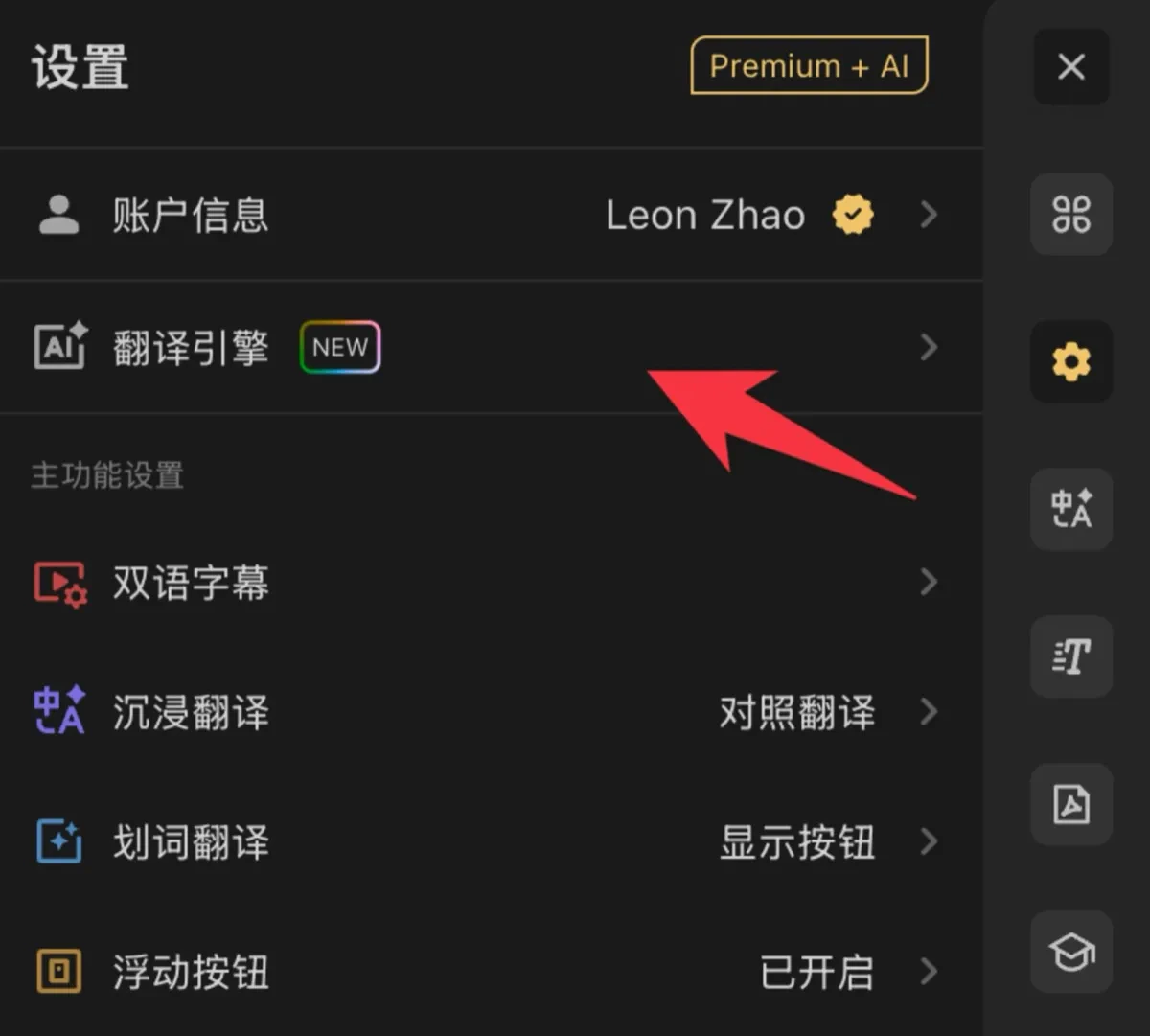
点击 Trancy 扩展图标,进入设置,点击「翻译引擎」,接着根据需要选择 SiliconFlow 引擎即可,默认内置模型是 Qwen/Qwen2-7B-Instruct 。
 ### 2. 使用 SiliconFlow 的其他文本模型
1. 打开 [SiliconFlow 官网](https://siliconflow.cn/) 并注册账号(如果注册过,直接登录即可)。
2. 完成注册后,打开 [API 密钥](https://cloud.siliconflow.cn/account/ak) ,创建新的 API Key,点击密钥进行复制,以备后续使用。
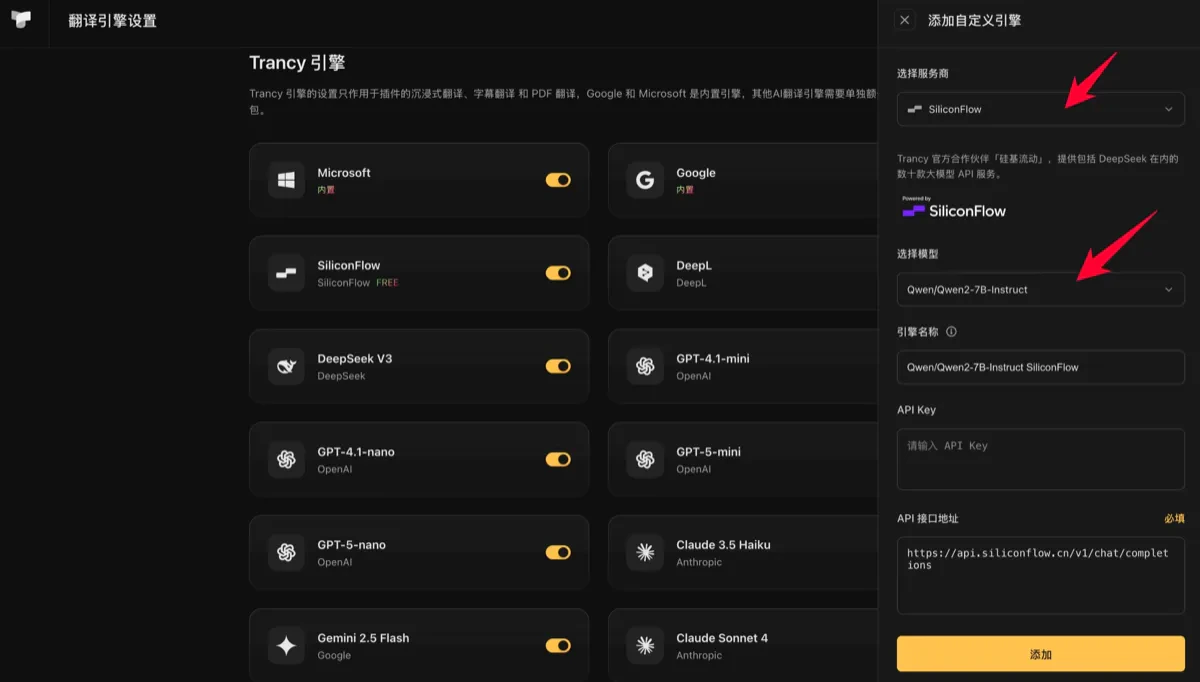
3. 进入之前 Trancy 的引擎管理页面,点击右上角或空状态的添加按钮,可以选择需要的模型,将 API Key 填入硅基流动翻译服务的 API Key 设置项中,然后点击保存即可回到扩展中使用。
### 2. 使用 SiliconFlow 的其他文本模型
1. 打开 [SiliconFlow 官网](https://siliconflow.cn/) 并注册账号(如果注册过,直接登录即可)。
2. 完成注册后,打开 [API 密钥](https://cloud.siliconflow.cn/account/ak) ,创建新的 API Key,点击密钥进行复制,以备后续使用。
3. 进入之前 Trancy 的引擎管理页面,点击右上角或空状态的添加按钮,可以选择需要的模型,将 API Key 填入硅基流动翻译服务的 API Key 设置项中,然后点击保存即可回到扩展中使用。