> ## Documentation Index
> Fetch the complete documentation index at: https://docs.siliconflow.cn/llms.txt
> Use this file to discover all available pages before exploring further.
# OpenCode
> 更新日期:2026年1月16日
1. 访问 [OpenCode 官网](https://opencode.ai/),选择页面右上角 'Free' 进行下载安装;
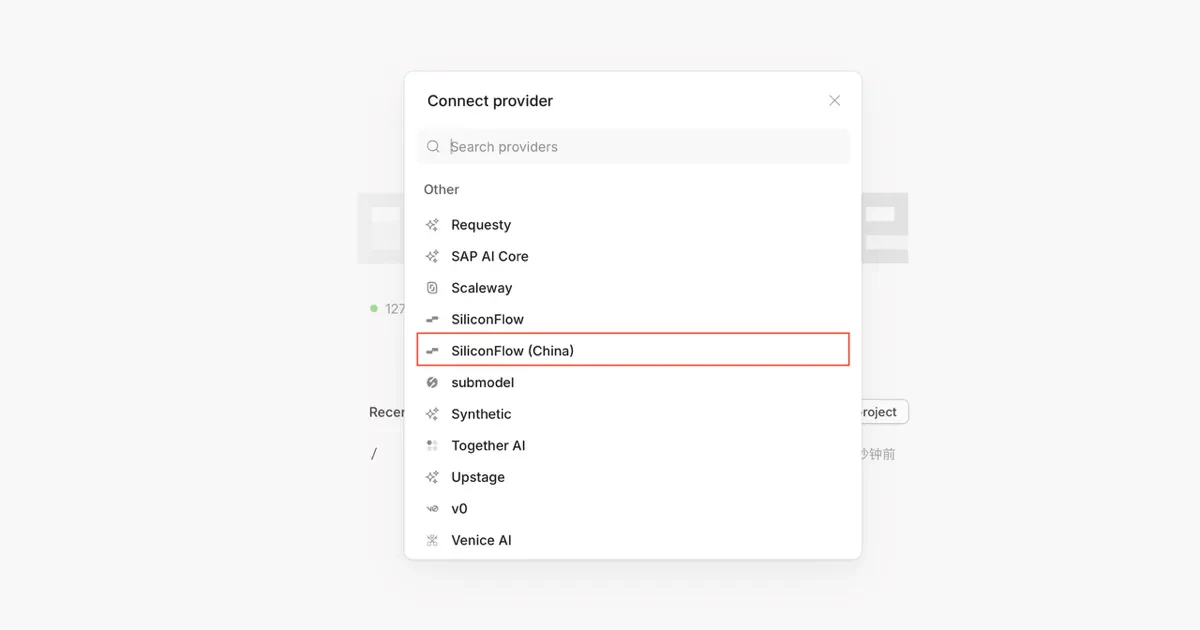
2. 打开 OpenCode 客户端,通过页面左侧菜单栏,选择 '+' 进入 Connect provider 界面
3. 选择 SiliconFlow(China),输入个人 API Key,即可使用硅基流动中文站的 AI 服务
 4. 可通过对话框下方的模型下拉菜单,切换所需模型;注意选择 SiliconFlow(China) 目录下的对应模型。
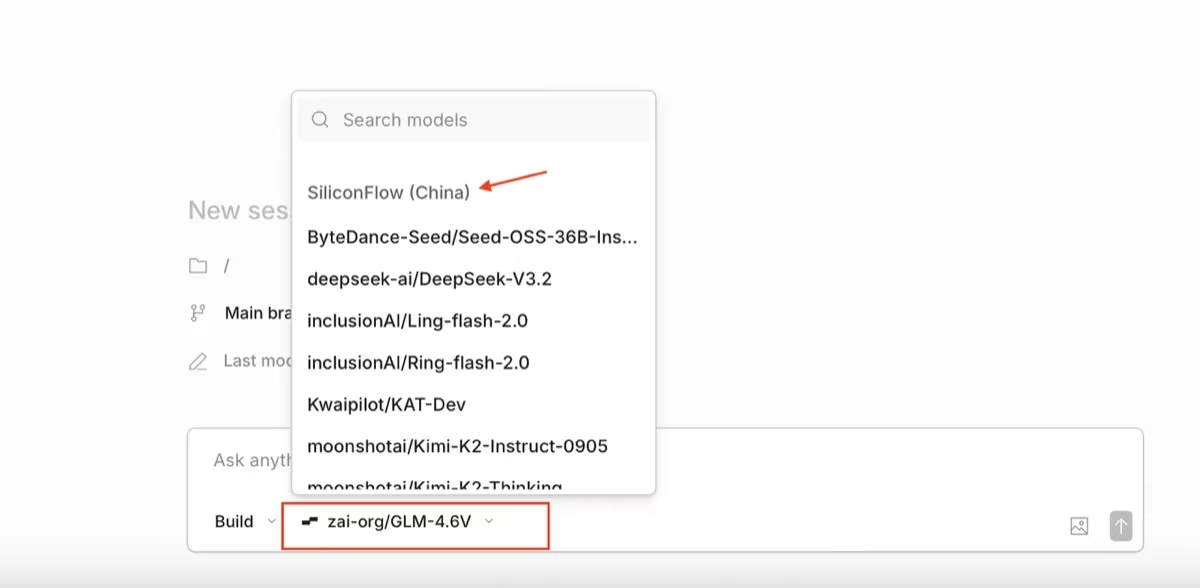 请注意:SiliconFlow 选项对应硅基流动国际站接口。硅基流动中文站和国际站,作为两个独立站点,账号体系不互通,请大家根据自己的账号情况做对应选择