> ## Documentation Index
> Fetch the complete documentation index at: https://docs.siliconflow.cn/llms.txt
> Use this file to discover all available pages before exploring further.
# 飞书多维表格
> 更新日期:2025年4月27日
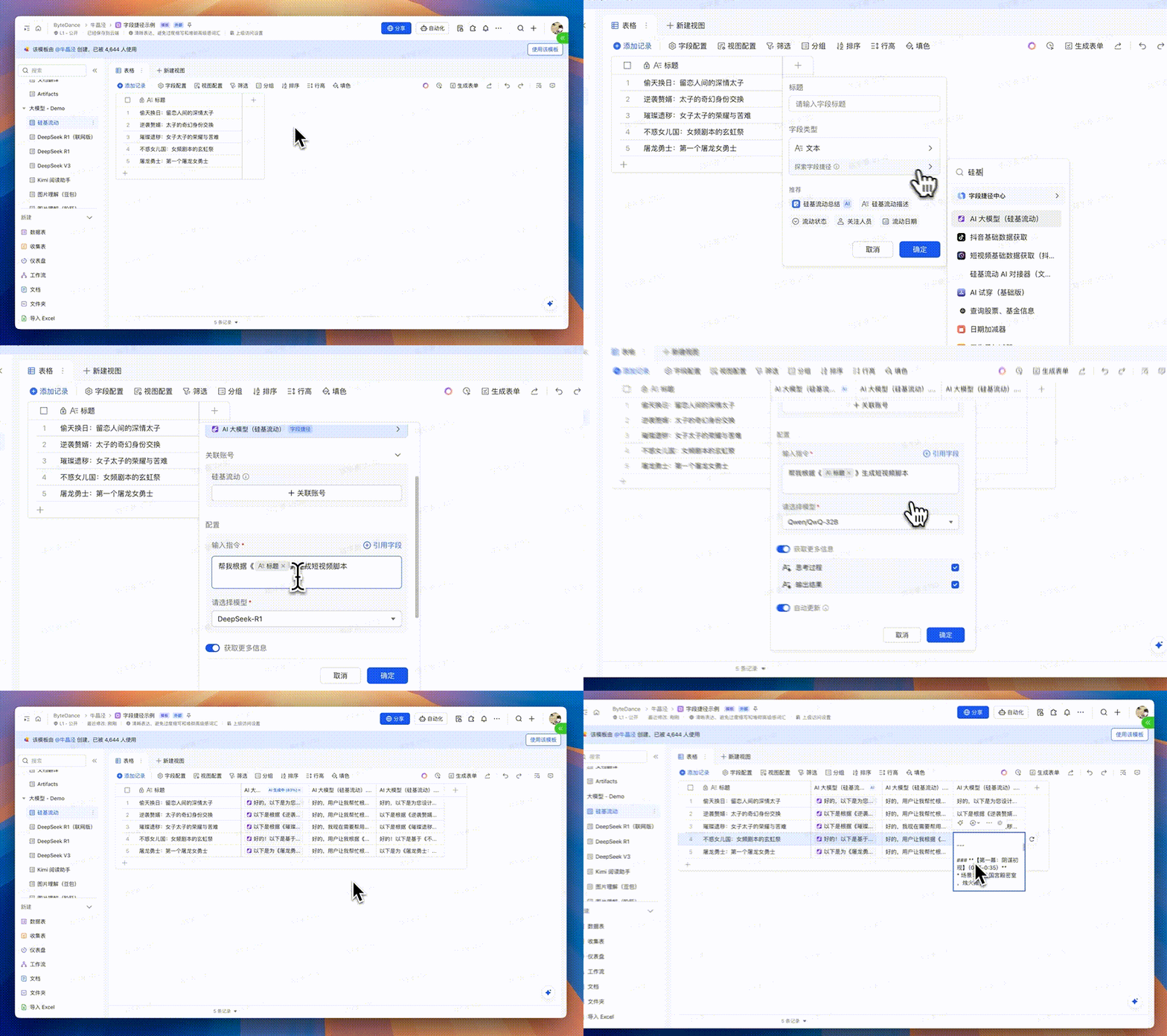
飞书多维表格已正式接入硅基流动 SiliconFlow 平台,你可以直接在多维表格的 AI 字段捷径中心调用平台上包括 DeepSeek-R1、QWQ-32B 等热门大模型,搭配多维表格的批量结构化数据处理和业务自动化构建能力,一键完成创作、翻译、分类、总结等操作,享受更快、更准、更聪明的数据管理体验。
 ## 使用方法
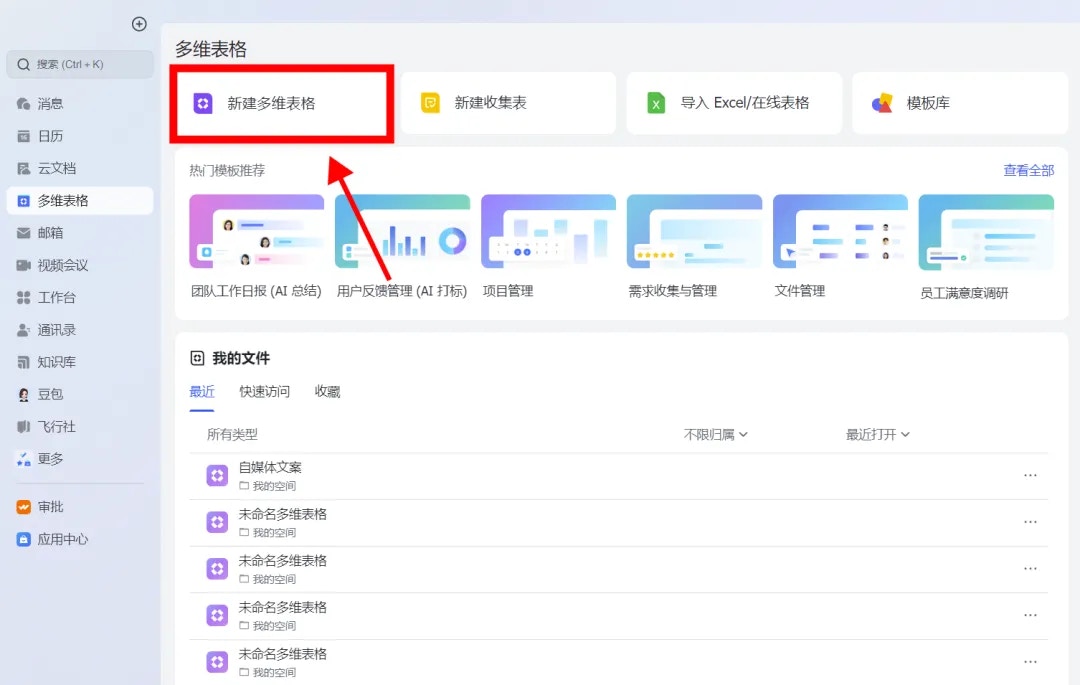
### 1. 进入飞书,点击 “多维表格”,“新建多维表格”。
## 使用方法
### 1. 进入飞书,点击 “多维表格”,“新建多维表格”。
 ### 2. 创建 DeepSeek-R1 AI 字段捷径
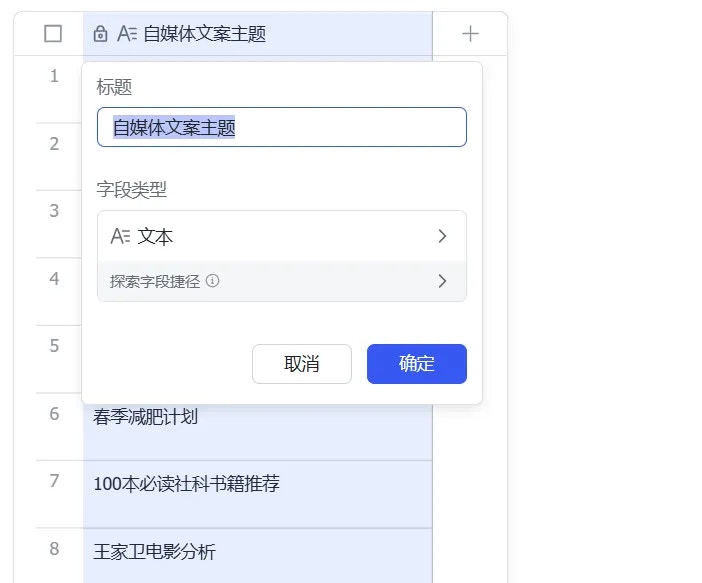
* 在左侧的导航栏中打开需要使用的数据表,创建文本字段,输入任务关键词(如"自媒体文案主题"),该字段将作为后续 AI 任务指令的引用字段。
### 2. 创建 DeepSeek-R1 AI 字段捷径
* 在左侧的导航栏中打开需要使用的数据表,创建文本字段,输入任务关键词(如"自媒体文案主题"),该字段将作为后续 AI 任务指令的引用字段。
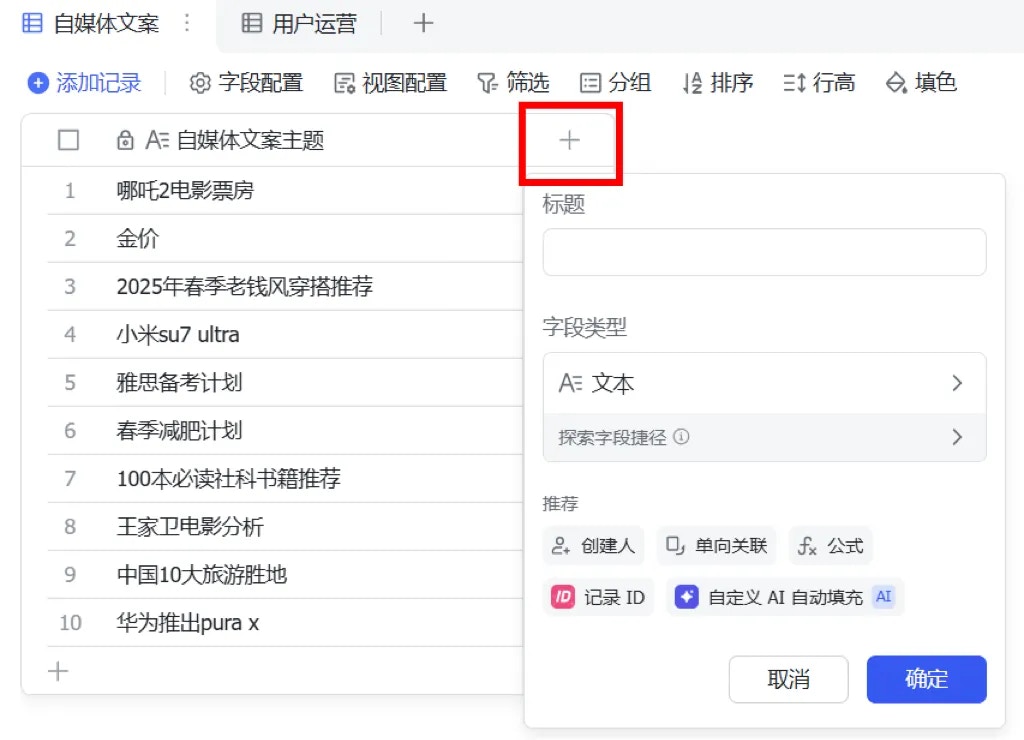
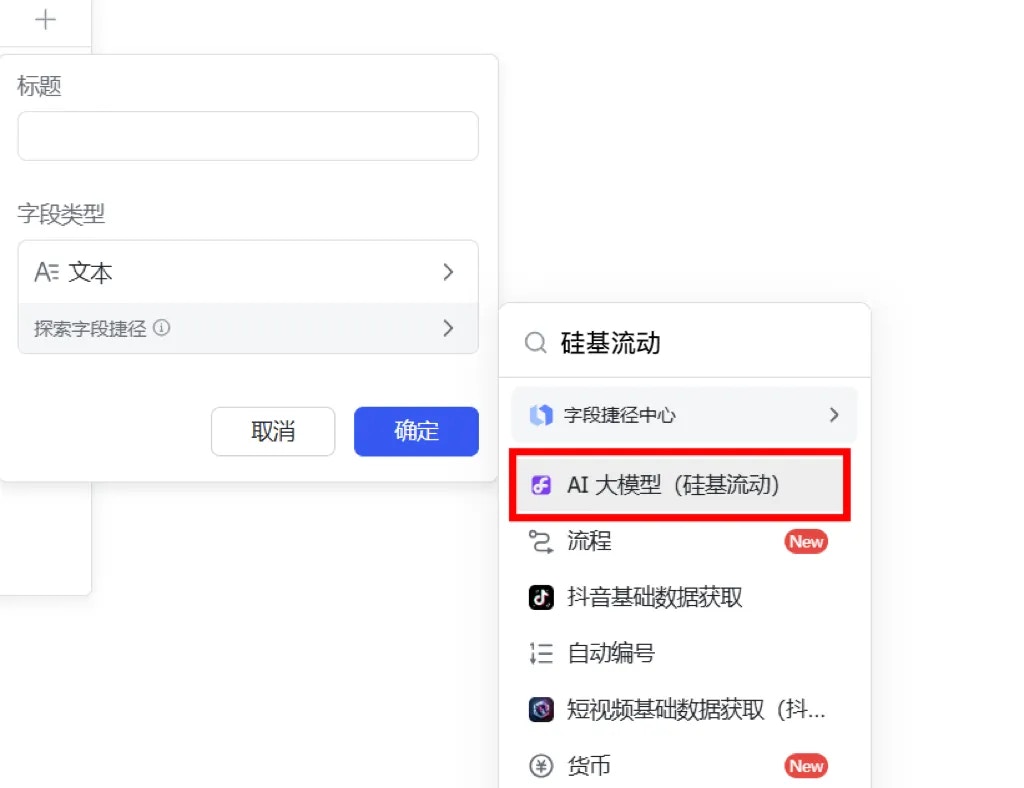
 * 点击字段名右侧的“+”或搜索字段。点击悬停字段类型的 “探索字段捷径” ,搜索“硅基流动”并选择 “AI 大模型(硅基流动)”。
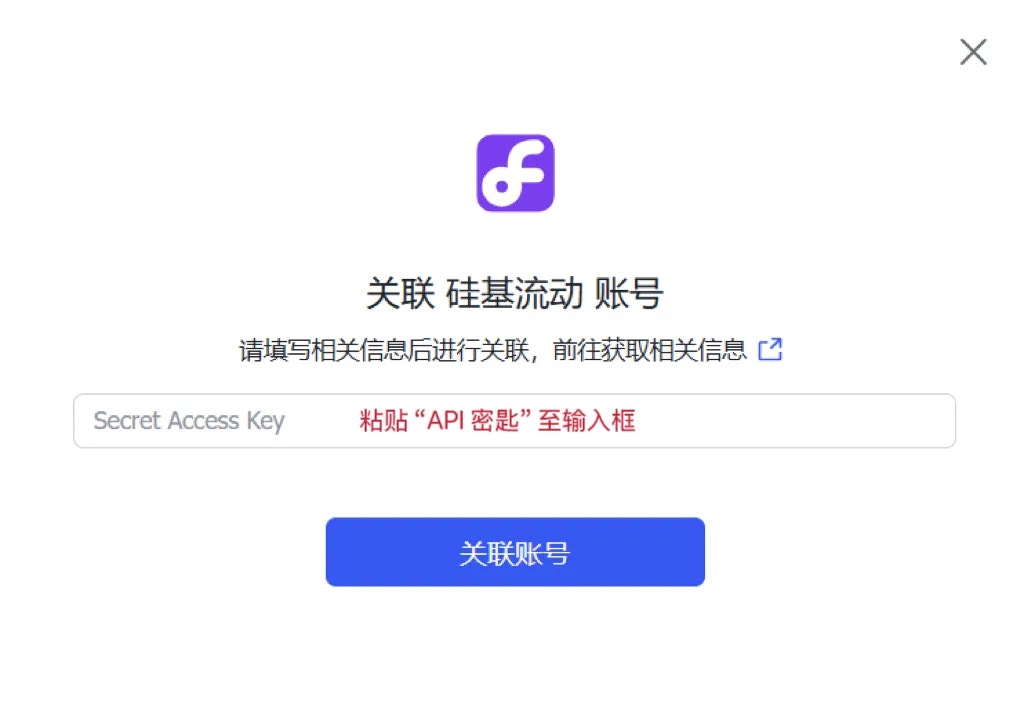
 * 点击“关联账号”按钮,跳转 硅基流动 SiliconFlow 平台以获取 API 密钥,复制 API 密钥,返回当前页面,将 API 密钥粘贴至指定输入框内。
 硅基流动 SiliconFlow 默认提供 Qwen/QwQ-32B、Pro/deepseek-ai/DeepSeek-R1、THUDM/GLM-Z1-32B-0414 和 DeepSeek-R1-Distill-Qwen-32B 四款 AI 模型,用户可以按需选择。
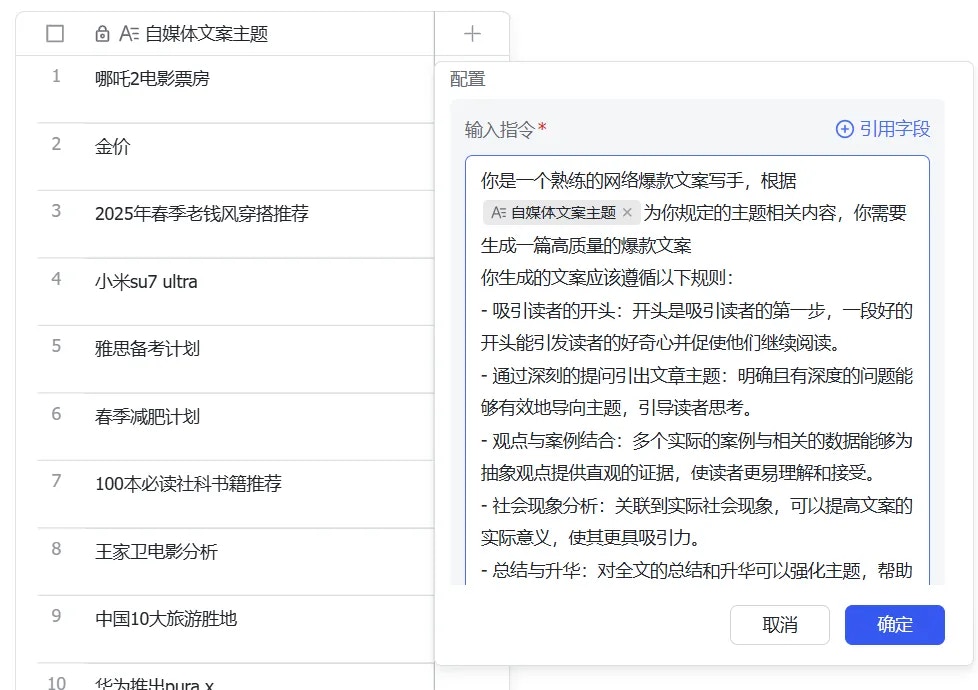
* 在"输入指令"栏中直接输入文字指令,点击右上角 ”+引用字段” 添加数据表字段,系统自动将输入文字与引用字段拼接为完整指令。
硅基流动 SiliconFlow 默认提供 Qwen/QwQ-32B、Pro/deepseek-ai/DeepSeek-R1、THUDM/GLM-Z1-32B-0414 和 DeepSeek-R1-Distill-Qwen-32B 四款 AI 模型,用户可以按需选择。
* 在"输入指令"栏中直接输入文字指令,点击右上角 ”+引用字段” 添加数据表字段,系统自动将输入文字与引用字段拼接为完整指令。
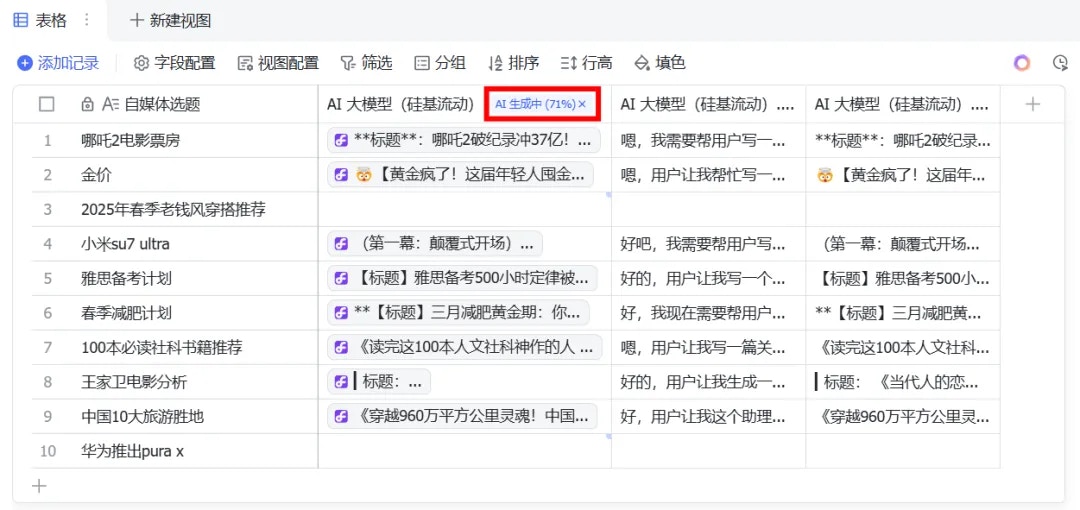
 * 点击“确认”并生成内容,查看字段名右上角百分比可得知任务处理进度,任务完成后图标自动消失。
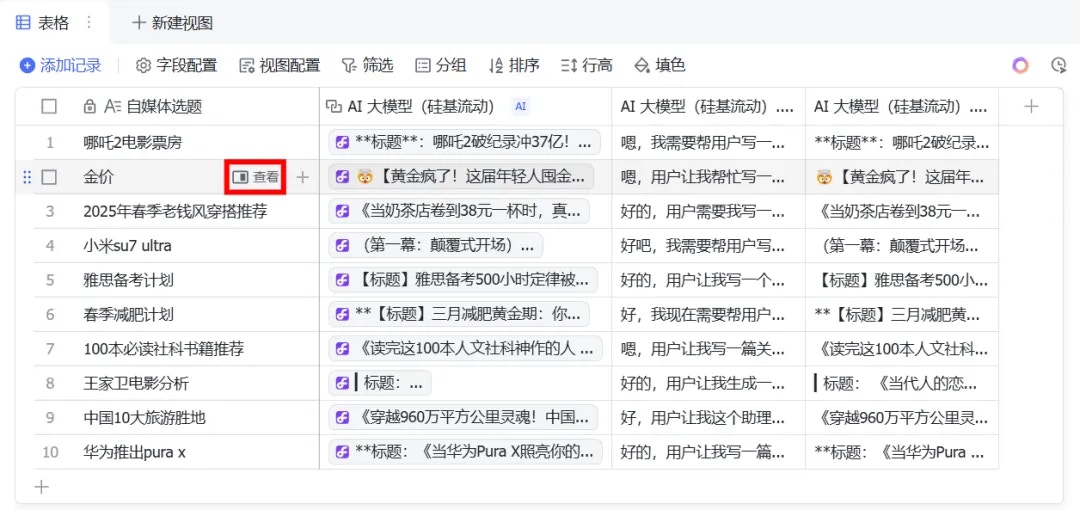
 * 鼠标光标悬停在字段列的任意单元格,点击“查看”,上下滑动即可浏览模型生成的完整内容,包括模型执行任务时的思考过程和输出结果。
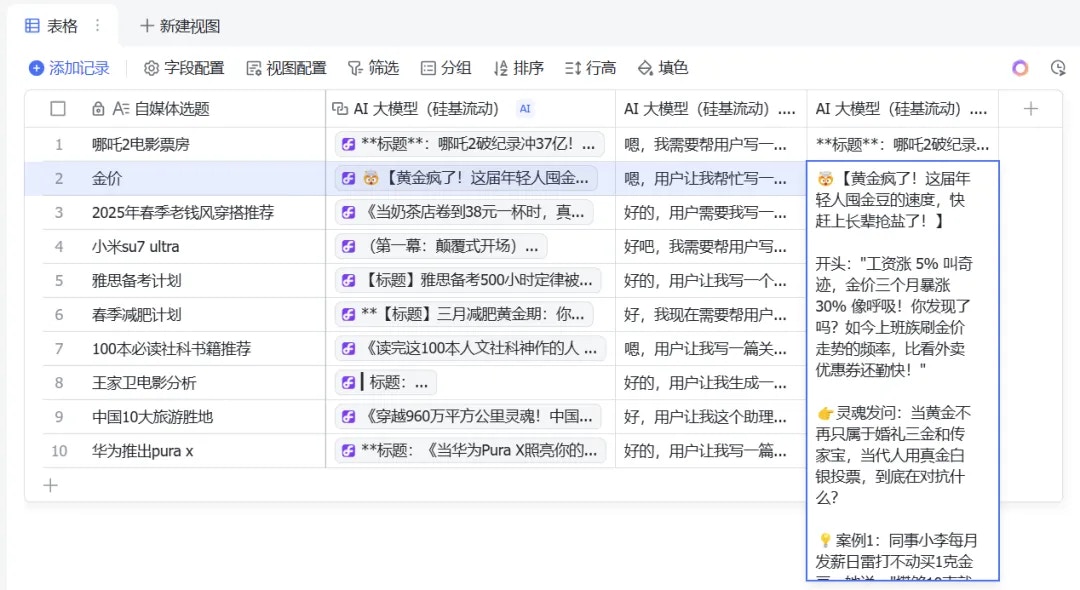
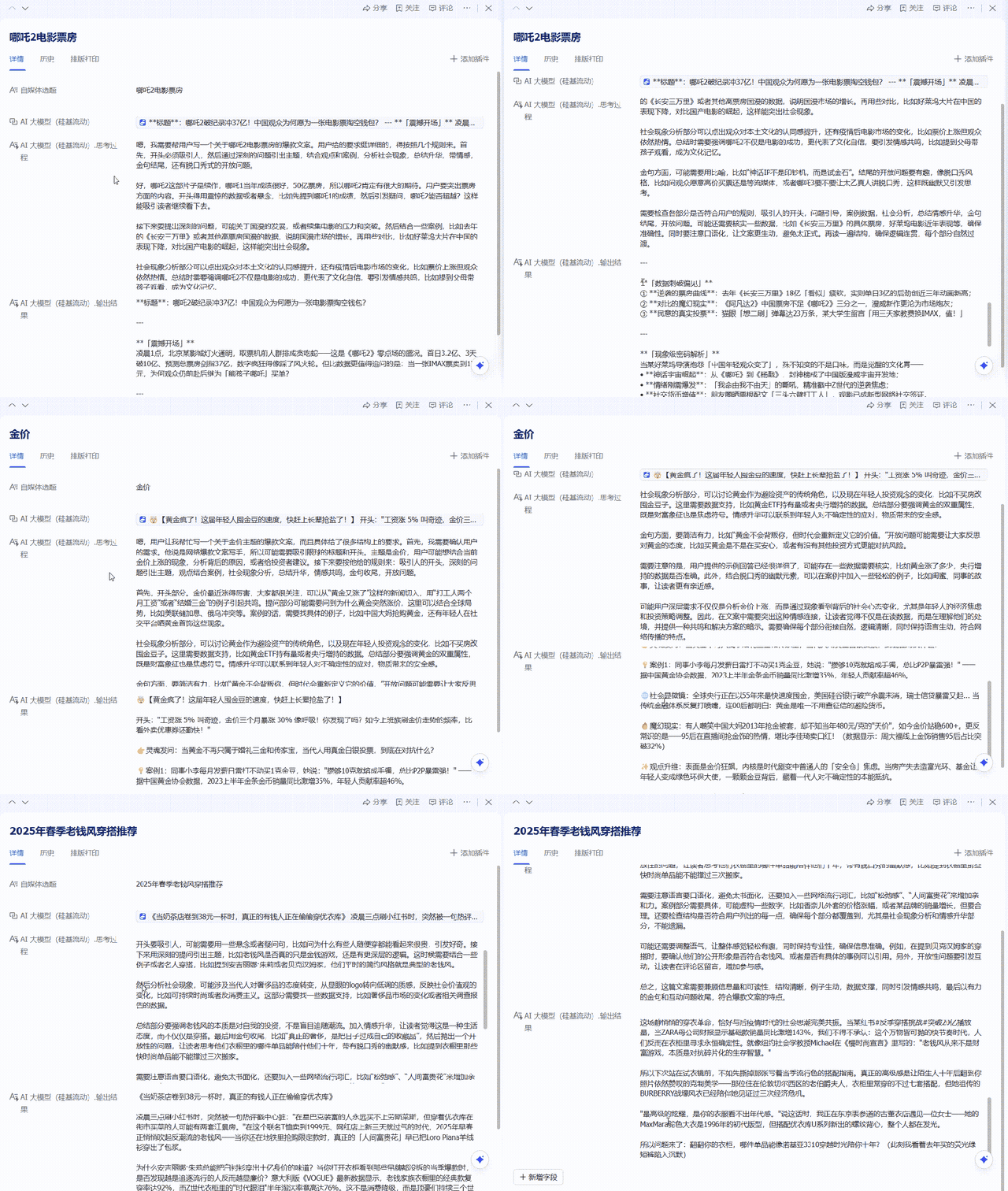 * 你也可以双击单元格查阅对应的生成内容。
 注:“硅基流动”字段捷径开箱即用,尝鲜用户会有部分免费配额,超过上限后,用户可自助绑定硅基流动 SiliconFlow 账号继续使用模型。
## 错误码信息
| **错误码** | **原因** | **解决方案** |
| --------- | ------------------------------------------ | --------------------------------------- |
| 800004780 | 密钥填写错误 | 确认密钥正确填写 |
| 800004781 | 当前捷径有大量任务处理中,请稍后重 | 可能遇到高峰期,稍后重试 |
| 800004782 | 1. 飞书赠送额度已用完;2. 需要绑定个人硅基流动账户使用额度 | 硅基流动绑定自己的 api key, |
| 800004783 | 高峰期排队导致服务超时 | 等待一段时间后刷新,不要频繁刷新 |
| 800004788 | 高峰期排队导致服务超时 | 等待一段时间后刷新,不要频繁刷新 |
| 800004789 | 1. 飞书赠送额度已用完;2. 需要绑定个人硅基流动账户使用额度;3. 密钥填写错误 | 请对照以下几个方案依次排查:1. 查看硅基流动账户余额;2. 确认密钥正确填写 |
## 联系开发者
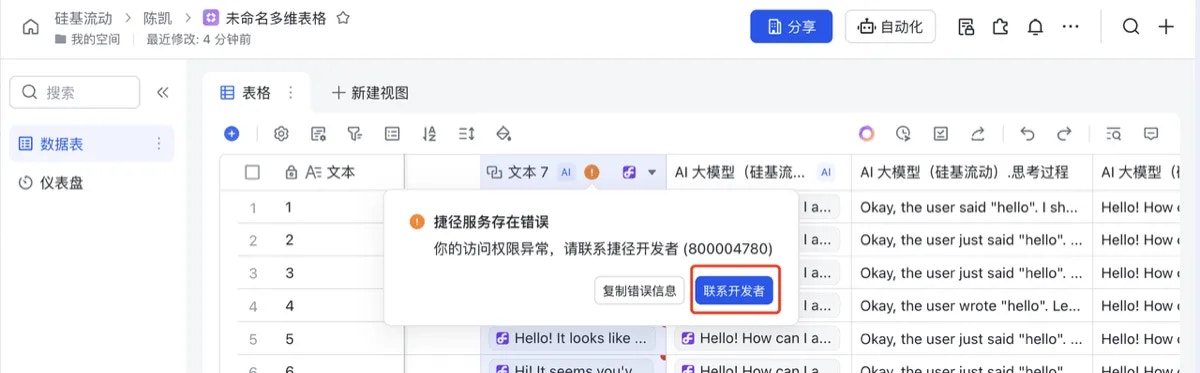
点击此处的“联系开发者”进入话题群,也可以通过直接扫描下面官方群二维码进入。
注:“硅基流动”字段捷径开箱即用,尝鲜用户会有部分免费配额,超过上限后,用户可自助绑定硅基流动 SiliconFlow 账号继续使用模型。
## 错误码信息
| **错误码** | **原因** | **解决方案** |
| --------- | ------------------------------------------ | --------------------------------------- |
| 800004780 | 密钥填写错误 | 确认密钥正确填写 |
| 800004781 | 当前捷径有大量任务处理中,请稍后重 | 可能遇到高峰期,稍后重试 |
| 800004782 | 1. 飞书赠送额度已用完;2. 需要绑定个人硅基流动账户使用额度 | 硅基流动绑定自己的 api key, |
| 800004783 | 高峰期排队导致服务超时 | 等待一段时间后刷新,不要频繁刷新 |
| 800004788 | 高峰期排队导致服务超时 | 等待一段时间后刷新,不要频繁刷新 |
| 800004789 | 1. 飞书赠送额度已用完;2. 需要绑定个人硅基流动账户使用额度;3. 密钥填写错误 | 请对照以下几个方案依次排查:1. 查看硅基流动账户余额;2. 确认密钥正确填写 |
## 联系开发者
点击此处的“联系开发者”进入话题群,也可以通过直接扫描下面官方群二维码进入。
 ### 官方群